

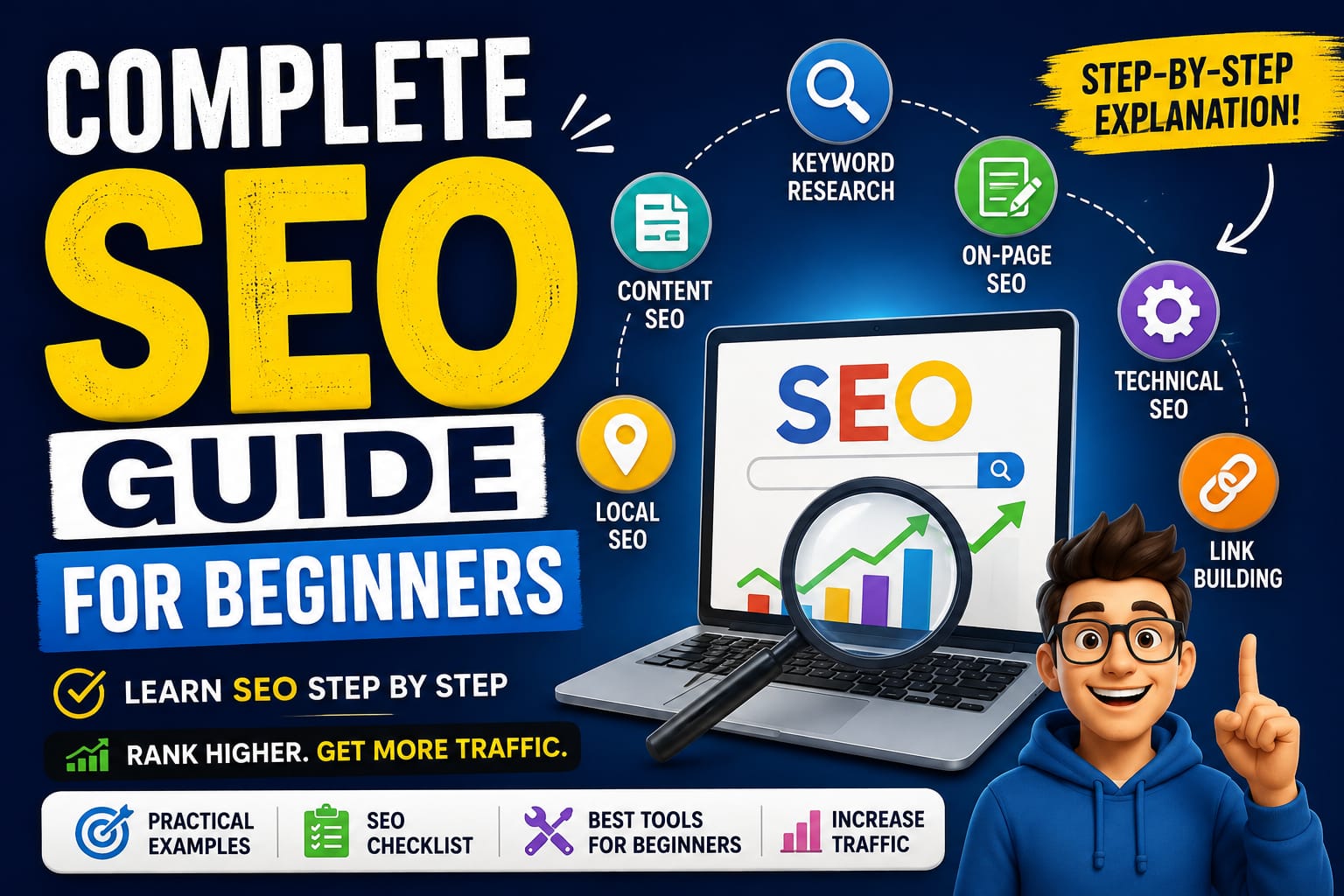
Complete SEO for Beginners
Search Engine Optimization, commonly known as SEO, is one of the most important digital marketing strategies for growing a website organically. Whether you run a blog, business website, eCommerce store, portfolio, or news website, SEO can help your pages become easier for search engines to understand and easier for potential visitors to discover.
For beginners, SEO can initially seem complicated. There are keywords, backlinks, technical issues, content optimization, user experience, local search, and analytics to consider. However, SEO becomes much easier when you understand how these pieces work together.
This complete beginner’s SEO package explains the major areas of SEO, provides practical examples, and gives you a step-by-step framework for building a strong SEO foundation.
Important: SEO is not about tricking Google or guaranteeing a #1 ranking. Good SEO focuses on creating useful content, making websites technically accessible, and helping search engines understand what each page is about.

1. What Is SEO?
SEO stands for Search Engine Optimization. It is the process of improving a website so search engines can discover, understand, and potentially show its pages to people searching for relevant information, products, or services.
For example, imagine you own a website that sells handmade leather wallets.
A potential customer searches:
“best handmade leather wallet for men”
SEO helps your website create and optimize a relevant page that can compete for visibility when people search for related terms.
Simple SEO Formula
Useful Content + Relevant Keywords + Good User Experience + Technical Accessibility + Authority = Stronger SEO Foundation
SEO is not one single activity. It is a collection of strategies that work together.
2. How Search Engines Work
Before learning SEO techniques, it helps to understand the basic search process.
Search engines generally perform three important functions:
1. Crawling
Search engine bots discover pages across the web.
For example:
- A bot finds your homepage.
- It follows links to your blog posts.
- It discovers your product and category pages.
If important pages cannot be discovered or accessed properly, they may have difficulty appearing in search results.
Example
Suppose your website has this structure:
Homepage
   ↓
Blog
   ↓
SEO for Beginners Guide
Internal links help search engines and users move through this structure.
2. Indexing
After discovering a page, a search engine processes its content and attempts to understand what the page is about.
For example, a page containing information about:
- beginner SEO
- keyword research
- title tags
- backlinks
may be understood as a resource related to SEO education.
3. Ranking
When someone searches for information, search engines evaluate potentially relevant pages and determine which results may be most useful for that query.
Ranking can depend on many factors, including:
- relevance to the search
- quality and usefulness of content
- page experience
- technical accessibility
- links and signals of authority
- context and search intent
No single SEO tactic guarantees a top ranking.
3. The Main Types of SEO
SEO can be divided into several major areas.
| SEO Type | Main Focus |
|---|---|
| On-Page SEO | Optimizing individual pages |
| Content SEO | Creating useful, relevant content |
| Technical SEO | Helping search engines access and understand the site |
| Off-Page SEO | Building authority and recognition beyond your website |
| Local SEO | Improving visibility for location-based searches |
| eCommerce SEO | Optimizing online stores and product pages |
Let’s explore each area.
4. Keyword Research: Finding What People Search For
Keyword research is one of the first steps in an SEO strategy.
A keyword is a word or phrase people use when searching online.
Examples
A beginner may search:
- what is SEO
- how to learn SEO
- SEO for beginners
- best SEO tools
- how to do keyword research
These searches can help you understand what topics people are interested in.
Types of Keywords
Short-Tail Keywords
Short and broad search phrases.
Examples:
- SEO
- digital marketing
- coffee
These can be highly competitive and often have broad intent.
Long-Tail Keywords
More specific phrases.
Examples:
- how to learn SEO for beginners
- best free keyword research tools
- how to optimize a blog post for SEO
Long-tail keywords are often useful because they reveal more about what the searcher wants.
Keyword Research Example
Imagine you run a website about fitness.
Instead of writing a generic article called:
“Fitness Tips”
You might research more specific topics such as:
- beginner home workout without equipment
- how to start exercising after a long break
- 20 minute workout for beginners
A specific topic can make it easier to create content that directly answers a particular need.
Keyword Research Process
Step 1: Choose a Broad Topic
Example:
Healthy breakfast
Step 2: Find Related Searches
Possible related ideas:
- healthy breakfast for weight management
- quick healthy breakfast
- high protein breakfast ideas
- healthy breakfast for students
Step 3: Understand the Topic
Look at what questions and subtopics are associated with the search.
Step 4: Choose a Primary Topic
For example:
Quick healthy breakfast ideas
Step 5: Create Helpful Content
Your article could include:
- Egg and vegetable wrap
- Greek yogurt bowl
- Oatmeal with fruit
- Peanut butter banana toast
- Smoothie recipes
The goal is not simply to repeat the keyword. The goal is to create a useful page about the topic.
5. Understanding Search Intent
A keyword alone is not enough. You should also understand search intent.
Search intent means the likely purpose behind a search.
Four Common Types of Search Intent
1. Informational Intent
The person wants information.
Examples:
- what is SEO
- how does Google search work
- how to write a blog post
2. Navigational Intent
The person wants to find a specific website or brand.
Examples:
- YouTube login
- Wikipedia SEO
3. Commercial Investigation
The person is researching options.
Examples:
- best SEO tools
- Ahrefs vs Semrush
- best laptop for students
4. Transactional Intent
The person is ready to take action.
Examples:
- buy running shoes online
- hire SEO consultant
- SEO agency pricing
Search Intent Example
Suppose your keyword is:
“best email marketing software”
The searcher probably wants:
- comparisons
- features
- pros and cons
- pricing information
- recommendations
A simple homepage about your company may not fully satisfy that intent.
A better content format might be:
The 10 Best Email Marketing Platforms: Features, Pricing, and Comparison
Matching your content to the user’s likely goal is an important part of SEO.
6. On-Page SEO
On-page SEO means optimizing elements within an individual webpage.
Important elements include:
- page title
- headings
- content
- URLs
- internal links
- images
- meta descriptions
A. SEO Title Tag
The title tag helps describe the topic of a page.
Weak Example
Home
Better Example
Beginner SEO Guide: Learn the Basics Step by Step
The second title gives users and search engines more context.
Tips
- Make the title descriptive.
- Clearly represent the page.
- Avoid unnecessary repetition.
- Include the primary topic naturally when appropriate.
B. Meta Description
A meta description summarizes the page.
Example
Learn the fundamentals of SEO with this beginner-friendly guide covering keywords, on-page optimization, technical SEO, link building, and more.
A compelling description may help users understand whether the page matches their needs.
C. Headings
Headings organize content.
Example structure:
H1: Complete SEO Guide for Beginners

H2: What Is SEO?
H2: How Keyword Research Works
H3: Short-Tail Keywords
H3: Long-Tail Keywords
H2: On-Page SEO
H2: Technical SEO
A clear structure improves readability and helps organize the information.
D. SEO-Friendly URLs
Less Clear
example.com/page?id=7382More Descriptive
example.com/seo-guide-for-beginners/Keep URLs simple and understandable where possible.
E. Internal Linking
Internal links connect pages on the same website.
For example:
Learn more in our complete keyword research guide.
The linked page might explain keyword research in greater detail.
Internal linking can help users discover related content and can help search engines understand relationships between pages.
7. Content SEO: Creating Content People Actually Want
Content is one of the central parts of SEO.
However, publishing a large number of articles does not automatically create strong results.
Your content should aim to be:
- useful
- accurate
- organized
- relevant
- original
- easy to understand
The Search Problem Approach
Before writing an article, ask:
What problem is the reader trying to solve?
For example, someone searching:
“how to start a blog”
may need:
- A platform
- A domain name
- Hosting
- A website design
- Content ideas
- Basic SEO knowledge
A comprehensive article should address the important steps needed to help the reader.
Content Example
Poor Approach
SEO is important. SEO helps websites rank. Use SEO for better rankings. SEO is useful for businesses.
This provides little practical value.
Better Approach
To begin SEO, start by identifying the topic your audience is searching for. Next, study the questions associated with that topic, create a helpful page that addresses those needs, use clear headings, and connect the page to related content on your website.
The second example gives the reader actionable information.
8. Technical SEO
Technical SEO focuses on the technical foundation of your website.
Even excellent content can face problems if search engines cannot properly access or process important pages.
Important Technical SEO Areas
1. Website Crawlability
Search engines should be able to discover important pages.
Check:
- internal links
- robots directives
- broken links
- orphan pages
2. XML Sitemap
An XML sitemap can provide search engines with information about important URLs on your site.
Example:
https://example.com/sitemap.xmlA sitemap does not guarantee indexing or ranking, but it can assist with URL discovery.
3. HTTPS Security
Websites should use HTTPS.
Example:
https://example.cominstead of:
http://example.comHTTPS helps provide a secure connection.
4. Mobile Experience
Many users browse from mobile devices.
Your website should be usable on:
- smartphones
- tablets
- desktops
Check whether:
- text is readable
- buttons are easy to use
- navigation works
- pages load properly
5. Page Speed and Performance
Slow pages can create a poor user experience.
Common causes include:
- oversized images
- unnecessary scripts
- poor hosting
- excessive plugins
Example
Instead of uploading a 10 MB image directly, consider properly sizing and optimizing the image for its intended display.
9. Off-Page SEO and Link Building
Off-page SEO includes signals and activities that occur beyond your own website.
One well-known area is link building.
A backlink is a link from another website to your website.
For example:
Industry Website
      ↓
Your SEO Guide
When another relevant website references your content, it may help search engines discover the page and can serve as one of many signals used to understand the web’s information structure.
Good Link-Building Strategies
Create Link-Worthy Content
Examples:
- original research
- detailed guides
- useful tools
- industry statistics
- visual resources
- expert insights
Digital PR
Create something newsworthy or useful that publishers may want to reference.
Guest Contributions
Contribute useful, relevant content to appropriate publications when it provides genuine value and follows the publication’s policies.
Broken Link Outreach
Find a broken resource on a relevant website and suggest a suitable replacement if you genuinely have one.
Avoid Manipulative Link Practices
Do not focus on:
- buying large numbers of low-quality links
- automated spam links
- irrelevant link exchanges
- hidden links
- artificial link networks
The goal should be to earn relevant references rather than manipulate rankings.
10. Local SEO
Local SEO is important for businesses serving a specific geographical area.
Examples:
- restaurants
- dentists
- plumbers
- law firms
- salons
- repair companies
Local SEO Example
Suppose you own a bakery in Lahore.
Potential searches may include:
- bakery near me
- birthday cake in Lahore
- best bakery in Lahore
A local SEO strategy may include:
- maintaining accurate business information
- creating useful local content
- ensuring your website includes relevant location and service information
- earning genuine customer reviews where appropriate
- keeping contact details consistent across important business listings
11. SEO Tools for Beginners
SEO tools can help you research, audit, and monitor your website.
Google Search Console
Useful for understanding how your website appears in Google Search and identifying indexing or performance issues.
You can monitor areas such as:
- search queries
- clicks
- impressions
- indexed pages
- technical issues
Google Analytics
Analytics tools can help you understand visitor behavior.
For example:
- How many users visit your website?
- Which pages receive traffic?
- Where do visitors come from?
- What actions do visitors take?
Keyword Research Tools
Keyword tools can help generate topic ideas and estimate search-related metrics.
Examples include tools from various SEO platforms, as well as Google’s own search suggestions and related searches.
Remember: keyword metrics are estimates and should not replace understanding your audience.
12. SEO Analytics: Measuring Performance
SEO should be measured over time.
Important metrics may include:
Organic Traffic
Visitors arriving through unpaid search results.
Example
January: 1,000 organic visits
February: 1,300 organic visits
March: 1,700 organic visits
This could indicate growth, although you should investigate why performance changed.
Impressions
How often your page appears or is shown in search results under the relevant reporting definitions.
Clicks
How many times users click through to your site from search results.
Click-Through Rate
A common formula is:
CTR = Clicks ÷ Impressions × 100
Example
If your page receives:
- 100 clicks
- 2,000 impressions
Then:
100 ÷ 2,000 × 100 = 5% CTR
Conversions
Traffic alone is not always the final goal.
A conversion could be:
- a purchase
- a contact form submission
- a newsletter signup
- a phone call
- a demo request
Example
Two pages may each receive 10,000 visitors.
- Page A generates 5 sales.
- Page B generates 150 sales.
Page B may create greater business value despite receiving the same amount of traffic.
13. Complete SEO Example: Optimizing a Blog Post
Let’s imagine you are writing an article about learning SEO.
Step 1: Choose the Topic
Primary topic:
SEO for beginners
Related topics:
- what is SEO
- keyword research
- on-page SEO
- technical SEO
- backlinks
Step 2: Create a Strong Title
SEO for Beginners: A Complete Step-by-Step Guide
Step 3: Create a Clear URL
example.com/seo-for-beginners/Step 4: Write a Helpful Introduction
Explain:
- what SEO is
- who the guide is for
- what the reader will learn
Step 5: Organize the Article
H1: SEO for Beginners

H2: What Is SEO?
H2: How Search Engines Work
H2: Keyword Research
H2: On-Page SEO
H2: Technical SEO
H2: Link Building
H2: SEO Tools
H2: Beginner SEO Checklist
Step 6: Add Internal Links
Link to related resources such as:
- keyword research guide
- technical SEO checklist
- content marketing guide
Step 7: Add Useful Images
Examples could include:
- keyword research screenshots
- SEO workflow diagrams
- website structure illustrations
Use descriptive alternative text when appropriate.
Example Alt Text
“Example of a website SEO structure connecting category pages and blog posts.”
Step 8: Monitor Performance
After publishing, monitor:
- impressions
- clicks
- queries
- user engagement
- conversions
Then improve the content based on what you learn.
14. Common SEO Mistakes Beginners Should Avoid
Mistake 1: Keyword Stuffing
Bad example:
Best SEO tools are the best SEO tools because these SEO tools provide SEO tools for people searching for SEO tools.
This sounds unnatural and provides little value.
Better
SEO tools can help marketers research keywords, monitor website performance, and identify technical issues.
Mistake 2: Publishing Thin Content
A 300-word article may not fully answer a complex question.
Focus on whether the content adequately solves the user’s problem.
Mistake 3: Ignoring Search Intent
Do not create a sales page for a search where people clearly want an educational guide.
Mistake 4: Forgetting Internal Links
Important pages should not be isolated from the rest of your website.
Mistake 5: Ignoring Technical Problems
Broken pages, indexing problems, poor mobile usability, and other technical issues can limit performance.
Mistake 6: Expecting Instant Results
SEO often takes time. Results can depend on competition, website history, content quality, technical factors, and many other variables.
15. Complete Beginner SEO Checklist
Website Setup
- Set up a secure HTTPS website
- Create a clear site structure
- Make important pages accessible
- Create and maintain an XML sitemap where appropriate
- Check mobile usability
Keyword Research
- Choose a primary topic
- Find related keywords and questions
- Understand search intent
- Identify realistic content opportunities
On-Page SEO
- Write a clear page title
- Create useful headings
- Use descriptive URLs
- Add relevant internal links
- Write useful and original content
- Optimize images appropriately
Technical SEO
- Check for broken pages
- Review indexing issues
- Improve page performance where necessary
- Check mobile usability
- Avoid accidentally blocking important pages
Off-Page SEO
- Create resources worth referencing
- Build relationships in your industry
- Seek relevant mentions naturally
- Avoid manipulative link schemes
Tracking
- Monitor organic search performance
- Track important keywords and topics
- Monitor conversions
- Review top-performing pages
- Regularly update valuable content
16. A Simple 30-Day SEO Plan for Beginners
Week 1: Build Your Foundation
Focus on:
- understanding your audience
- reviewing your website structure
- setting up search and analytics tools
- identifying major technical problems
Week 2: Research Keywords and Topics
Create a list of:
- 10–20 core topics
- related questions
- long-tail keyword ideas
- customer problems
Group related topics together.
Example
SEO Topic Cluster
Main page:
Complete SEO Guide
Supporting content:
- What Is Keyword Research?
- How to Write SEO Titles
- What Is Technical SEO?
- How Internal Linking Works
Week 3: Create and Optimize Content
Publish or improve several high-quality pages.
Focus on:
- search intent
- clarity
- examples
- helpful structure
- internal links
Week 4: Measure and Improve
Review:
- which pages receive impressions
- which pages receive clicks
- which queries bring visitors
- which pages need improvement
SEO is an ongoing process, so continue refining your strategy.
17. Final Thoughts
SEO can feel overwhelming because it involves content, keywords, technology, user experience, and website authority. However, beginners do not need to master everything on the first day.
Start with the fundamentals:
- Understand your audience.
- Research what they are searching for.
- Identify their search intent.
- Create genuinely useful content.
- Optimize important on-page elements.
- Build a technically healthy website.
- Connect related pages with internal links.
- Earn relevant recognition and links naturally.
- Track your performance.
- Continuously improve.
The most sustainable SEO strategy is not about finding shortcuts. It is about building a useful website that deserves to be discovered.
When you consistently create valuable content, maintain a strong technical foundation, and improve the user experience, you build a much stronger platform for long-term organic growth.
SEO is a continuous process—not a one-time task. Learn, publish, measure, improve, and repeat.