
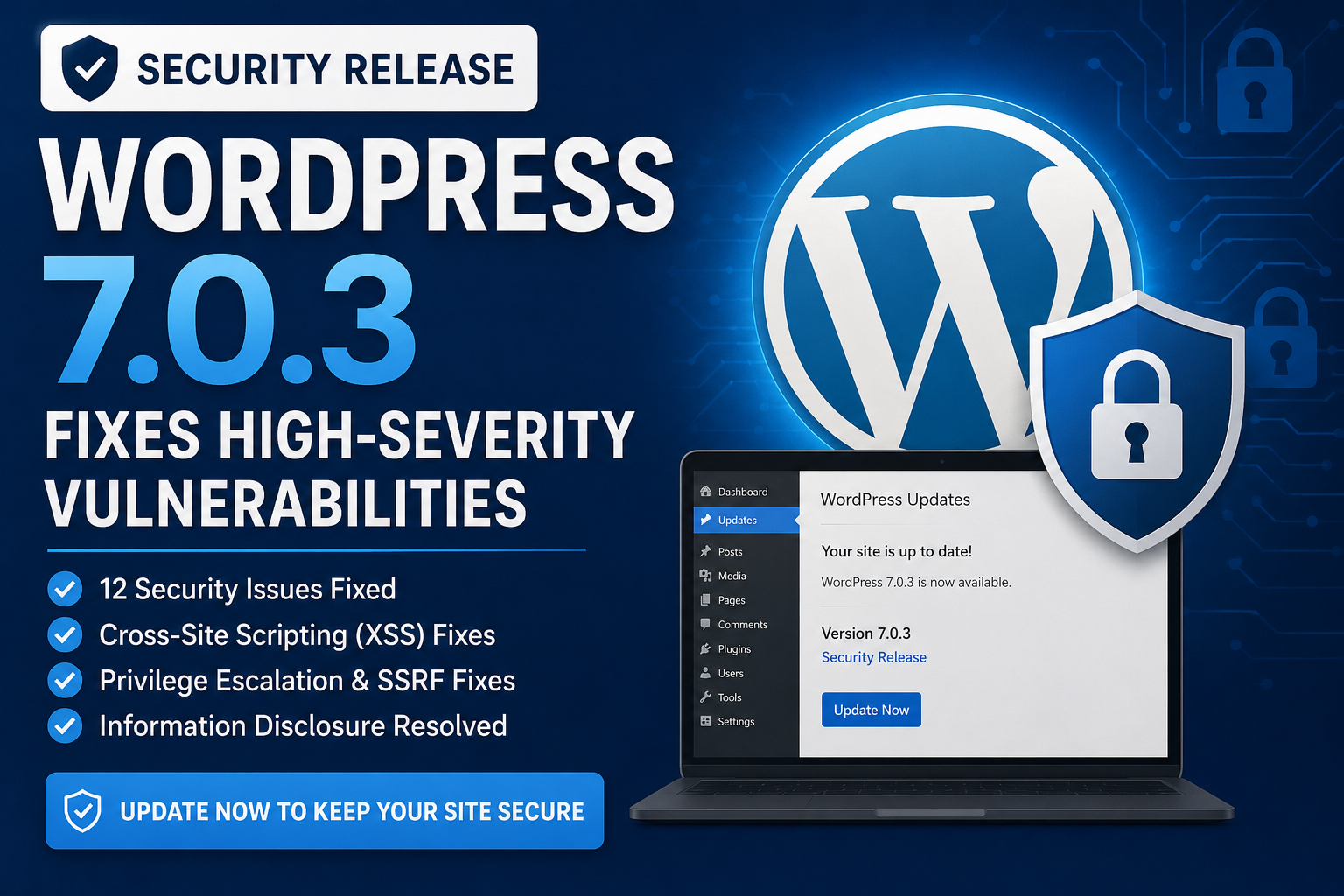
WordPress 7.0.2 security release is an important update for website owners, bloggers, developers, agencies, and businesses using the WordPress 7.0 series. Released on July 17, 2026, WordPress 7.0.2 addresses two significant security vulnerabilities: one critical issue and one high-severity issue.
The WordPress security team strongly recommends updating affected websites immediately. Because of the seriousness of the vulnerabilities, WordPress.org also enabled forced automatic updates for affected installations. (WordPress.org)
Important: Some articles or social posts may refer to a “WordPress 7.0.3 security release,” but the official WordPress release archive currently lists 7.0.2 as the latest 7.0 release. Always verify WordPress security announcements against official WordPress.org information. (WordPress.org)
What Is WordPress 7.0.2?
WordPress 7.0.2 is a security release for the WordPress 7.0 branch. Unlike a normal feature update, its primary purpose is to address security weaknesses that could potentially be abused against vulnerable websites.
The release was published on July 17, 2026, and WordPress recommends that users update immediately because of the severity of the vulnerabilities. (WordPress.org)
The release addressed:
- One critical security issue
- One high-severity security issue
- A SQL injection vulnerability
- A REST API-related vulnerability involving batch routes and SQL injection that could lead to Remote Code Execution
The affected issues were assigned the following identifiers:
- CVE-2026-60137
- CVE-2026-63030
- Corresponding GHSA advisories were also published. (WordPress.org)

Why Is This WordPress Security Update Important?
Security vulnerabilities in a content management system can have serious consequences.
WordPress powers websites ranging from personal blogs to e-commerce stores, news websites, business websites, membership platforms, and large publishing operations. A vulnerability in WordPress core can therefore potentially affect a large number of installations.
The two vulnerabilities fixed in 7.0.2 involve areas that are particularly important from a security perspective:
- Database queries
- REST API processing
- Batch-route handling
- Remote Code Execution
A successful attack involving SQL injection can potentially allow an attacker to manipulate database queries. In more serious circumstances, vulnerabilities chained with other weaknesses can result in unauthorized access or execution of malicious code.
This is why security releases should not normally be postponed.
The Two Major Security Issues Fixed in WordPress 7.0.2
1. Facilitated SQL Injection Vulnerability
One of the vulnerabilities fixed in WordPress 7.0.2 involved a facilitated SQL injection issue.
The issue was reported by TF1T, dtro, and haongo, who worked together on the disclosure.
SQL injection occurs when an application does not sufficiently protect database queries from maliciously controlled input.
In a vulnerable application, an attacker may attempt to manipulate SQL queries by supplying specially crafted input.
A simplified conceptual example looks like this:
User Input
    ↓
Application
    ↓
Database Query
    ↓
Unexpected SQL Interpretation
Secure applications validate and properly handle input before it becomes part of a database operation.
The WordPress security team addressed the affected code in the 7.0.2 release. (WordPress.org)
2. REST API Batch-Route Confusion and SQL Injection
The second issue was more serious.
According to WordPress, the vulnerability involved REST API batch-route confusion and SQL injection leading to Remote Code Execution.
The issue was reported by Adam Kues of Assetnote / Searchlight Cyber. (WordPress.org)
The REST API is an important part of modern WordPress. It allows applications and services to communicate with WordPress through structured requests.
For example, WordPress uses REST API functionality for many modern features, integrations, editors, applications, and third-party services.
A vulnerability affecting REST API request handling can therefore be particularly significant.
The security issue could combine route confusion with SQL injection, potentially creating a path toward Remote Code Execution (RCE).
What Is Remote Code Execution?
Remote Code Execution is one of the most serious categories of software vulnerabilities.
It describes a situation where an attacker can cause a computer or server to execute code remotely.
The potential consequences can include:
- Unauthorized changes to website files
- Malware installation
- Creation of unauthorized administrator accounts
- Data theft
- Website defacement
- Database compromise
- Installation of malicious scripts
- Further attacks against connected systems
The actual impact depends on the vulnerability, server configuration, user permissions, installed plugins, hosting environment, and other security controls.
WordPress specifically identified the REST API vulnerability as potentially leading to Remote Code Execution, which is why this update deserves immediate attention. (WordPress.org)
Which WordPress Versions Are Affected?
The official WordPress documentation states that both vulnerabilities affect the WordPress 6.9 branch, for which version 6.9.5 was released with fixes.
WordPress 6.8 was affected by the first vulnerability, and 6.8.6 contains the corresponding fix.
According to WordPress, versions before 6.8 were not affected by these two vulnerabilities. (WordPress.org)
Security Fixes by Branch
| WordPress Branch | Security Status for These Issues |
|---|---|
| 7.0 | Fixed in 7.0.2 |
| 6.9 | Fixed in 6.9.5 |
| 6.8 | First issue fixed in 6.8.6 |
| Before 6.8 | Not affected by these two vulnerabilities |
The safest strategy is still to run the latest supported WordPress release, rather than intentionally remaining on an older branch.
The official release archive states that only the most recent release in the 7.0 series is safe to use and actively maintained. (WordPress.org)
How to Check Your WordPress Version
You can check your WordPress version directly from your WordPress dashboard.
Method 1: Dashboard
- Log in to WordPress.
- Open the WordPress Dashboard.
- Look for the At a Glance section.
- Check the displayed WordPress version.
Method 2: Updates Page
Go to:
Dashboard → Updates
Your current WordPress version and available updates should appear there.
If your website is running an older version of the 7.0 branch, update it to the latest available release.
How to Update WordPress Safely
Before updating a production website, it is good practice to create a backup.
Step 1: Back Up Your Website
Create backups of:
- WordPress files
- Database
- Uploads
- Themes
- Plugins
- Configuration files
A complete backup gives you a recovery option if an unexpected compatibility problem occurs.
Step 2: Check Plugin and Theme Compatibility
Review your active plugins and theme.
Security updates generally should not be delayed unnecessarily, but checking compatibility is useful, particularly for heavily customized websites.
Step 3: Open WordPress Updates
From your dashboard, select:
Dashboard → Updates
Step 4: Update WordPress
Select the available WordPress update and allow WordPress to complete the process.
WordPress officially recommends updating through the Dashboard’s Updates area or using the official release files. (WordPress.org)
Step 5: Test Your Website
After updating, check:
- Homepage
- Blog posts
- Contact forms
- Login
- Admin dashboard
- WooCommerce checkout
- Search
- Menus
- Images
- Important plugins
- Custom functionality
If your site is an online store or business website, pay particular attention to revenue-generating functions.
Automatic WordPress Updates
WordPress 7.0.2 received special treatment because of the severity of the vulnerabilities.
WordPress.org stated that forced updates were enabled through the automatic update system for sites running affected versions. (WordPress.org)
This is significant because it demonstrates how seriously the WordPress security team regarded the vulnerabilities.
However, website owners should still verify that their installations actually updated successfully.
Do not assume that an automatic update always completed correctly.
How to Confirm the Update Worked
After the update:
- Open Dashboard → Updates.
- Check the installed WordPress version.
- Confirm that WordPress reports the installation is up to date.
- Test important website functionality.
- Check your hosting logs if anything appears unusual.
If the website is managed by a hosting company, also check whether the host controls WordPress updates.
What Files Were Changed?
The official WordPress 7.0.2 documentation lists the following revised files:
/wp-includes/rest-api/class-wp-rest-server.php
/wp-includes/class-wp-query.php
/wp-includes/rest-api.php
These changes correspond to the security fixes included in the release. (WordPress.org)
For developers and security professionals, these files are useful when reviewing the technical scope of the update.
WordPress 7.0.2 CVE References
Security researchers and administrators may encounter the following identifiers when researching this release:
CVE-2026-60137
This identifier corresponds to one of the vulnerabilities addressed by WordPress 7.0.2.
CVE-2026-63030
This identifier corresponds to the second vulnerability addressed by the release.
WordPress also lists the associated GitHub Security Advisories:
- GHSA-fpp7-x2x2-2mjf
- GHSA-ff9f-jf42-662q (WordPress.org)
These identifiers can be useful when monitoring vulnerability databases, security scanners, hosting alerts, and security advisories.
Does WordPress 7.0.2 Include New Features?
The primary purpose of WordPress 7.0.2 is security, not introducing major new features.
Security releases generally focus on correcting vulnerabilities and reducing risk.
Website owners should therefore think of this update as a maintenance and protection update rather than a feature upgrade.
WordPress Security Is More Than Core Updates
Updating WordPress core is extremely important, but it is only one part of website security.
A secure WordPress website should also maintain:
Updated Plugins
Outdated plugins can introduce vulnerabilities even when WordPress core is fully updated.
Only install plugins from trustworthy sources and remove plugins that are no longer required.
Updated Themes
Themes can contain vulnerable code.
Keep your active theme and other installed themes updated, and remove unused themes when appropriate.
Strong Administrator Passwords
Use unique passwords for administrator accounts.
Avoid reusing passwords between WordPress and other services.
Multi-Factor Authentication
Enable multi-factor authentication where available, especially for administrator accounts.
Least-Privilege Accounts
Not every user needs administrator privileges.
Give users only the permissions they require.
Regular Backups
Maintain reliable backups and periodically test restoration.
A backup that cannot be restored is not a dependable recovery strategy.
Web Application Firewall
A properly configured Web Application Firewall can provide an additional layer of protection against malicious traffic.
Security Monitoring
Monitor:
- Failed logins
- New administrator accounts
- Unexpected file changes
- Plugin installations
- Theme modifications
- Suspicious database activity
What Website Owners Should Do Now
If you manage a WordPress website, the recommended response is straightforward.
1. Check your WordPress version
Go to:
Dashboard → Updates
2. Install the latest available security release
For the 7.0 branch, the official release archive currently lists 7.0.2 as the latest release. (WordPress.org)
3. Verify automatic updates
Check that the site has actually completed its update.
4. Back up the website
Maintain a recent backup before making major changes.
5. Update plugins and themes
Do not secure WordPress core while leaving vulnerable third-party software outdated.
6. Review administrator accounts
Remove unnecessary administrator accounts and investigate unfamiliar users.
7. Monitor the website
Look for unexpected redirects, modified files, suspicious users, or unusual server activity.
What If Your Website Was Running an Older Version?
If your website was running a vulnerable version, do not panic, but do not ignore the situation either.
First, update WordPress.
Then review your security posture.
If you discover suspicious activity, consider checking:
- Server access logs
- WordPress security logs
- Administrator accounts
- Recently modified files
- Plugin installation history
- Database users
- Hosting control-panel activity
If there is evidence of compromise, updating WordPress alone may not be enough. A professional incident-response or WordPress security review may be appropriate.
Why Security Updates Should Be Installed Quickly
Attackers frequently scan websites for known vulnerabilities.
Once a vulnerability becomes public knowledge, defenders and attackers both have access to information about the affected software.
That means delaying a security update can increase exposure.
WordPress itself explicitly recommended immediate updating for the 7.0.2 security release. (WordPress.org)
For business websites, delaying a security update can potentially result in:
- Website downtime
- SEO damage
- Malware warnings
- Customer trust issues
- Data exposure
- Recovery expenses
- Lost sales
Security maintenance should therefore be treated as part of normal website operations.
WordPress 7.0.2 vs. WordPress 7.0.1
The important distinction is security.
WordPress 7.0.1 was released on July 9, 2026, while 7.0.2 followed on July 17 as a security release. The official release archive lists both versions in the 7.0 branch. (WordPress.org)
If your website is still running 7.0.1, upgrading to 7.0.2 is strongly recommended.
Is WordPress 7.0.2 Safe?
For the specific vulnerabilities addressed by this release, WordPress 7.0.2 contains the official fixes.
However, saying that any WordPress website is completely “safe” would be misleading.
Security depends on the entire environment, including:
- WordPress core
- Plugins
- Themes
- Hosting
- Server configuration
- Passwords
- User permissions
- APIs
- Database security
- Backups
- Monitoring
A fully updated WordPress installation can still be compromised through a vulnerable plugin, stolen administrator credentials, insecure hosting, or another security weakness.
Frequently Asked Questions
Is WordPress 7.0.3 available?
According to the official WordPress release archive currently available, WordPress 7.0.3 is not listed. The latest 7.0 release is 7.0.2, released July 17, 2026. (WordPress.org)
What did WordPress 7.0.2 fix?
WordPress 7.0.2 fixed one critical and one high-severity security issue. These included a facilitated SQL injection vulnerability and a REST API batch-route confusion/SQL injection issue that could lead to Remote Code Execution. (WordPress.org)
Should I update WordPress immediately?
Yes. WordPress recommends immediate updating because this is a security release. (WordPress.org)
Does WordPress automatically update?
WordPress.org enabled forced updates through the automatic update system for affected installations because of the severity of the vulnerabilities. Nevertheless, administrators should verify that their websites actually updated. (WordPress.org)
Does the vulnerability affect plugins?
The vulnerabilities discussed in this release are WordPress core vulnerabilities. However, plugins and themes represent separate security risks and should also be kept updated.
Can a WordPress vulnerability affect SEO?
Yes. If a website is compromised, attackers may inject spam, redirects, malicious scripts, or unwanted content. This can potentially damage search visibility and reputation.
What should I do if my website was hacked?
Immediately investigate the compromise, preserve relevant logs where possible, change compromised credentials, update vulnerable software, and restore from a known-clean backup when appropriate. For serious incidents, use a qualified WordPress security professional.
Final Verdict
WordPress 7.0.2 is an important security update that should not be ignored.
The release addresses one critical and one high-severity vulnerability, including a REST API-related issue that could potentially lead to Remote Code Execution. WordPress has recommended immediate updates and enabled forced updates for affected sites. (WordPress.org)
If you are currently running WordPress 7.0.1 or another affected version, check Dashboard → Updates and update to the latest supported release.
Most importantly, be careful when publishing security news: the official WordPress release archive currently lists 7.0.2—not 7.0.3—as the latest WordPress 7.0 release. (WordPress.org)