

WordPress has a huge plugin ecosystem, so the best plugins depend on whether your goal is SEO, speed, security, eCommerce, forms, backups, analytics, design, or content management. The official WordPress plugin directory currently shows millions of active installations for several leading plugins, including Elementor, Yoast SEO, Contact Form 7, WP Mail SMTP, and Rank Math.
Here is a practical list of 50 popular and useful WordPress plugins, grouped by their main purpose.
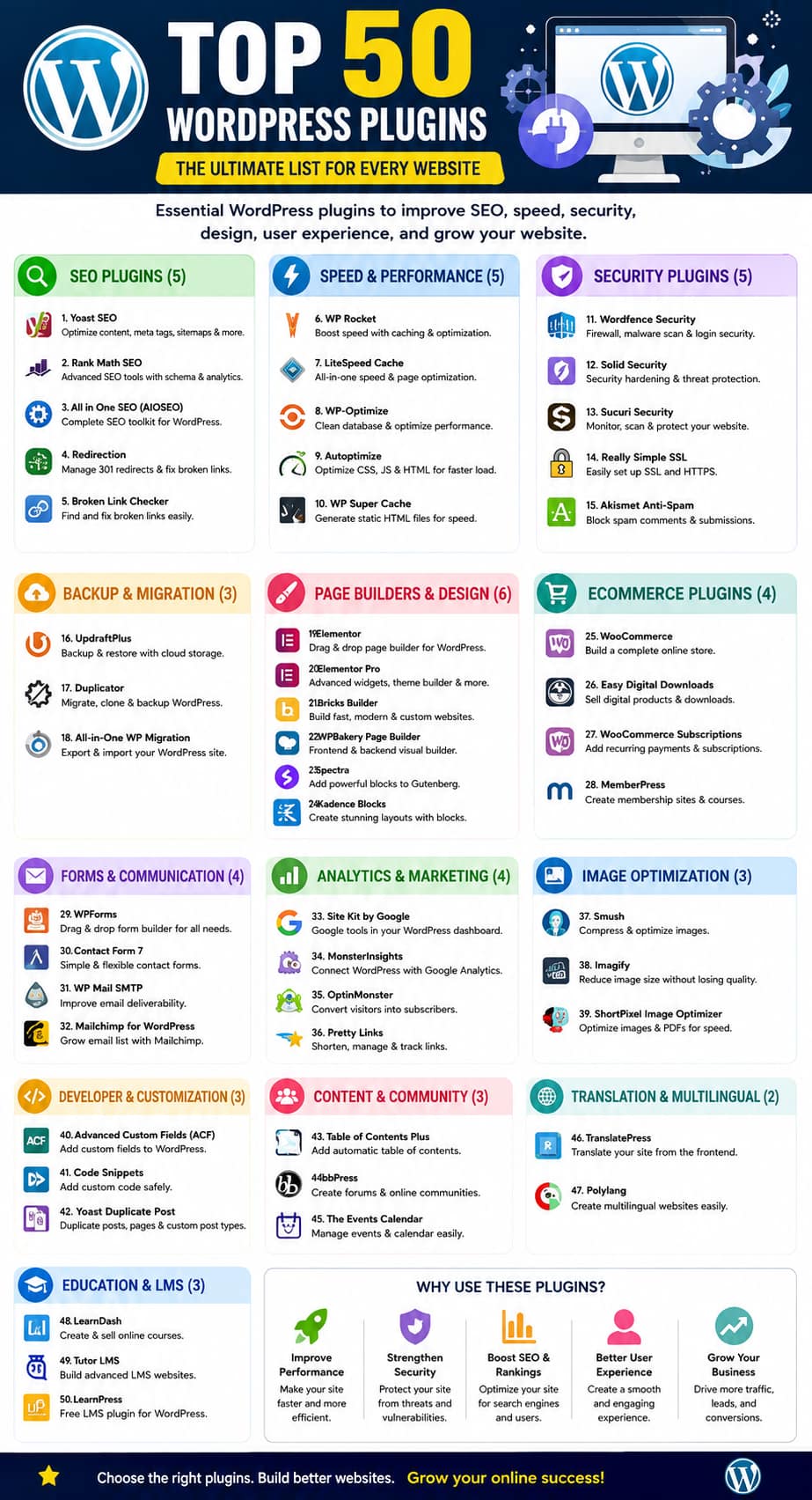
Top 50 WordPress Plugins by Category
🔍 SEO Plugins
| # | Plugin | Main Purpose | Short Description |
|---|---|---|---|
| 1 | Yoast SEO | SEO Optimization | Helps optimize content, meta titles, descriptions, XML sitemaps, schema, and readability. |
| 2 | Rank Math SEO | SEO Optimization | Provides keyword tracking, schema, sitemaps, redirects, and advanced SEO tools. |
| 3 | All in One SEO (AIOSEO) | SEO Optimization | Complete SEO toolkit for optimizing posts, pages, WooCommerce products, and websites. |
| 4 | Redirection | URL Management | Creates and manages 301 redirects and helps handle broken URLs. |
| 5 | Broken Link Checker | SEO/Maintenance | Finds broken links so you can fix URLs that may hurt user experience and SEO. |
⚡ Performance & Speed Plugins
| # | Plugin | Main Purpose | Short Description |
|---|---|---|---|
| 6 | WP Rocket | Caching | Improves WordPress speed using caching, file optimization, and lazy loading. |
| 7 | LiteSpeed Cache | Caching | Provides caching and advanced CSS, JavaScript, image, and database optimization. |
| 8 | WP-Optimize | Optimization | Cleans the database, optimizes tables, compresses images, and provides caching. |
| 9 | Autoptimize | File Optimization | Optimizes HTML, CSS, and JavaScript files to improve website performance. |
| 10 | WP Super Cache | Caching | Creates static HTML pages to reduce server processing and speed up websites. |
🔐 Security Plugins
| # | Plugin | Main Purpose | Short Description |
|---|---|---|---|
| 11 | Wordfence Security | Website Security | Provides firewall protection, malware scanning, login security, and monitoring. |
| 12 | Solid Security | Security | Offers login protection, two-factor authentication, security hardening, and monitoring. |
| 13 | Sucuri Security | Security Monitoring | Helps monitor security activity, malware, file changes, and website integrity. |
| 14 | Really Simple Security | SSL/Security | Helps configure HTTPS and manage important security settings. |
| 15 | Akismet Anti-Spam | Spam Protection | Automatically detects and filters spam comments and submissions. |
💾 Backup & Migration Plugins
| # | Plugin | Main Purpose | Short Description |
|---|---|---|---|
| 16 | UpdraftPlus | Backup | Creates scheduled WordPress backups and supports remote storage options. |
| 17 | Duplicator | Migration & Backup | Packages WordPress websites for migration, cloning, and backups. |
| 18 | All-in-One WP Migration | Website Migration | Makes it easier to export and import complete WordPress websites. |
🎨 Page Builder & Design Plugins
| # | Plugin | Main Purpose | Short Description |
|---|---|---|---|
| 19 | Elementor | Page Builder | Drag-and-drop builder for creating professional pages without coding. |
| 20 | Elementor Pro | Advanced Design | Adds advanced widgets, theme builder, forms, popups, and dynamic content. |
| 21 | Bricks Builder | Website Builder | Visual builder designed for creating highly customizable WordPress websites. |
| 22 | WPBakery Page Builder | Page Builder | Provides visual frontend and backend tools for building website layouts. |
| 23 | Spectra | Gutenberg Blocks | Adds additional blocks and design controls to the WordPress block editor. |
| 24 | Kadence Blocks | Gutenberg Blocks | Provides advanced blocks for creating flexible page layouts. |
🛒 eCommerce Plugins
| # | Plugin | Main Purpose | Short Description |
|---|---|---|---|
| 25 | WooCommerce | Online Store | Converts WordPress into a complete eCommerce platform. |
| 26 | Easy Digital Downloads | Digital Products | Helps sell ebooks, software, downloads, and other digital products. |
| 27 | WooCommerce Subscriptions | Recurring Payments | Adds subscription and recurring-payment functionality to WooCommerce. |
| 28 | MemberPress | Membership | Creates membership sites, subscription plans, and protected content. |
📝 Forms & Communication Plugins
| # | Plugin | Main Purpose | Short Description |
|---|---|---|---|
| 29 | WPForms | Form Builder | Creates contact forms, surveys, registration forms, payment forms, and more. |
| 30 | Contact Form 7 | Contact Forms | Lightweight plugin for creating customizable contact forms. |
| 31 | WP Mail SMTP | Email Delivery | Helps WordPress send emails reliably through SMTP services. |
| 32 | Mailchimp for WordPress | Email Marketing | Connects WordPress with Mailchimp for newsletter subscriptions and campaigns. |
📊 Analytics & Marketing Plugins
| # | Plugin | Main Purpose | Short Description |
|---|---|---|---|
| 33 | Site Kit by Google | Analytics | Connects WordPress with Google Analytics, Search Console, AdSense, and PageSpeed. |
| 34 | MonsterInsights | Google Analytics | Displays useful Google Analytics statistics directly inside WordPress. |
| 35 | OptinMonster | Lead Generation | Creates popups, signup campaigns, and conversion-focused marketing forms. |
| 36 | Pretty Links | Link Management | Creates branded links and provides link tracking and management features. |
🖼️ Image Optimization Plugins
| # | Plugin | Main Purpose | Short Description |
|---|---|---|---|
| 37 | Smush | Image Compression | Compresses and optimizes images to reduce page size. |
| 38 | Imagify | Image Optimization | Compresses images and supports modern image formats. |
| 39 | ShortPixel Image Optimizer | Image Compression | Reduces image file sizes while maintaining good visual quality. |
👨💻 Developer & Customization Plugins
| # | Plugin | Main Purpose | Short Description |
|---|---|---|---|
| 40 | Advanced Custom Fields (ACF) | Custom Fields | Allows developers to add custom fields and structured content to WordPress. |
| 41 | Code Snippets | Custom Code | Lets users safely add PHP snippets without editing theme files directly. |
| 42 | Yoast Duplicate Post | Content Management | Clones posts and pages and supports rewrite-and-republish workflows. |
📚 Content & Community Plugins
| # | Plugin | Main Purpose | Short Description |
|---|---|---|---|
| 43 | Table of Contents Plus | Content Navigation | Automatically creates tables of contents for long posts and pages. |
| 44 | bbPress | Forums | Adds discussion forums and community features to WordPress. |
| 45 | The Events Calendar | Event Management | Creates calendars and manages events, schedules, and event listings. |
🌍 Translation & Multilingual Plugins
| # | Plugin | Main Purpose | Short Description |
|---|---|---|---|
| 46 | TranslatePress | Translation | Allows users to translate website content directly through a visual interface. |
| 47 | Polylang | Multilingual Websites | Lets you create and manage content in multiple languages. |
🎓 Education & LMS Plugins
| # | Plugin | Main Purpose | Short Description |
|---|---|---|---|
| 48 | LearnDash | LMS | Turns WordPress into an online learning platform with courses, quizzes, and lessons. |
| 49 | Tutor LMS | LMS | Provides tools for creating and managing online courses and student accounts. |
| 50 | LearnPress | LMS | Free learning-management solution for creating courses, lessons, quizzes, and educational websites. |
Quick Category Summary
| Category | Number of Plugins |
|---|---|
| SEO | 5 |
| Performance & Speed | 5 |
| Security | 5 |
| Backup & Migration | 3 |
| Page Builder & Design | 6 |
| eCommerce | 4 |
| Forms & Communication | 4 |
| Analytics & Marketing | 4 |
| Image Optimization | 3 |
| Developer & Customization | 3 |
| Content & Community | 3 |
| Translation & Multilingual | 2 |
| Education & LMS | 3 |
| Total | 50 |
⭐ Recommended Starter Combination
For a typical WordPress blog, you don’t need all 50. A practical setup could be:
| Requirement | Recommended Plugin |
|---|---|
| SEO | Rank Math SEO or Yoast SEO |
| Speed | LiteSpeed Cache or WP Rocket |
| Security | Wordfence |
| Backup | UpdraftPlus |
| Forms | WPForms |
| Analytics | Site Kit by Google |
| Images | Smush |
| Page Builder | Elementor |
| eCommerce | WooCommerce |
| Spam Protection | Akismet |
Tip: Avoid installing multiple plugins that perform the same job—for example, don’t normally use several SEO plugins or several caching plugins together.
Important: Don’t Install Multiple Main SEO Plugins
A common WordPress mistake is installing Yoast + Rank Math + AIOSEO + SEOPress at the same time.
You generally should choose one primary SEO plugin.
For example:
Option 1 – Beginner website
Yoast SEO + Site Kit + LiteSpeed Cache
Option 2 – Advanced website
Rank Math + Site Kit + performance plugin
Option 3 – Professional/agency website
SEOPress + Site Kit + performance optimization
The goal isn’t to install the most plugins. The goal is to build a clean SEO setup without overlapping functionality.
My Recommended SEO Stack for a WordPress Blog
For a content-focused WordPress website, I would start with:
- Rank Math OR Yoast SEO — primary SEO
- Google Site Kit — Search Console and Analytics
- LiteSpeed Cache — if the hosting environment supports LiteSpeed
- Redirection — for URL management when needed
- Broken Link Checker — for periodic link maintenance
Remember that an SEO plugin doesn’t automatically make a website rank #1. It provides the technical controls and recommendations; rankings still depend on content quality, search intent, website authority, internal linking, technical health, competition and many other factors.
Quick recommendation
If you’re starting a new WordPress website: Rank Math or Yoast SEO.
If you’re running a business website: AIOSEO.
If you’re an SEO professional: SEOPress.
If performance and simplicity are your priorities: The SEO Framework.
Current WordPress plugin listings and 2026 comparisons broadly support these as the major choices, although the “best” plugin ultimately depends on your site’s requirements.