
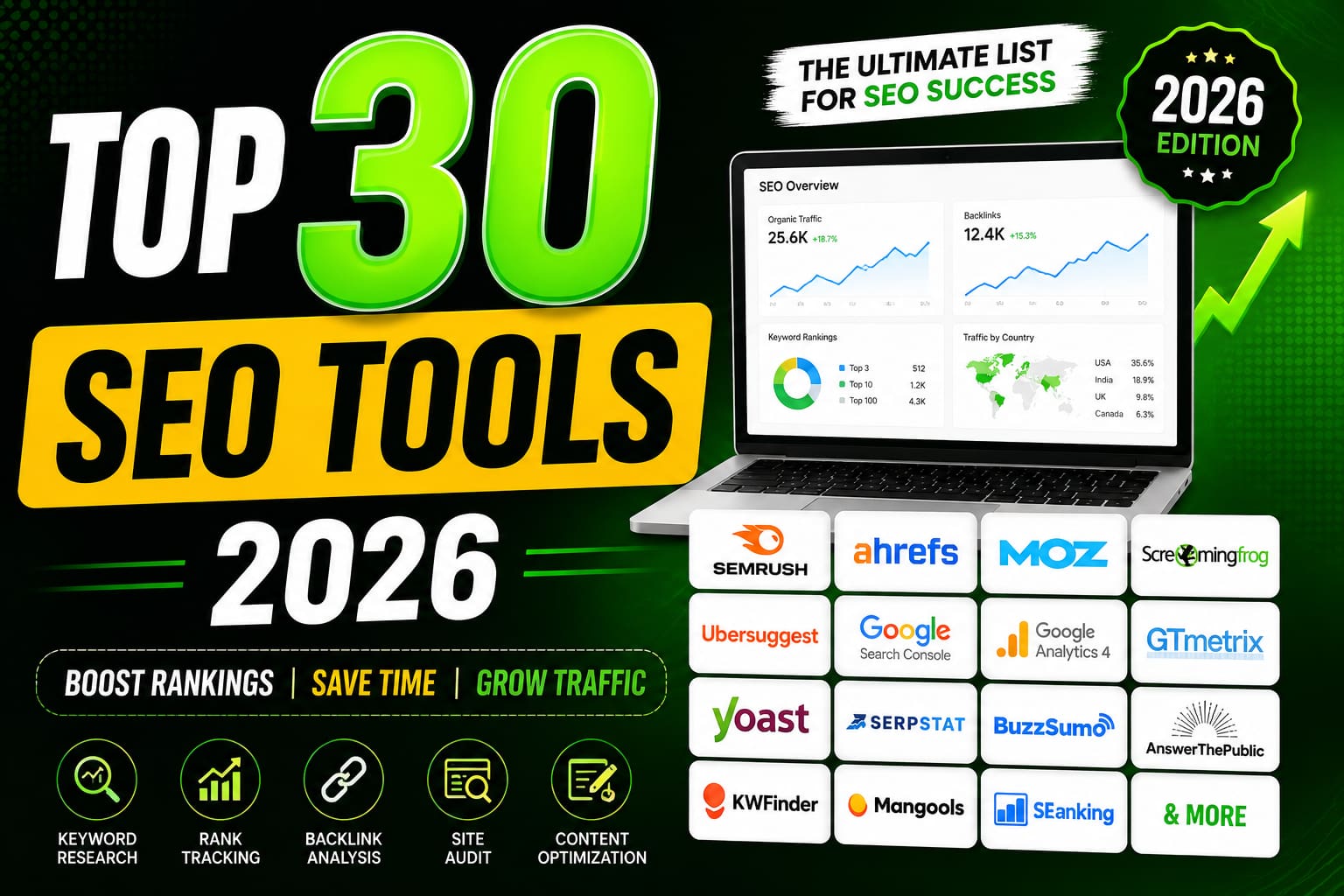
10 Powerful SEO Tools to Grow Your Website in 2026
SEO stands for Search Engine Optimization. It is the process of improving a website so that it appears higher in search engine results (such as Google or Bing) when people search for relevant topics.
For example, if you own a bakery and someone searches for “best chocolate cake near me”, good SEO increases the chances that your bakery’s website appears near the top of the search results.

SEO generally includes three main areas:
- On-page SEO
- Writing high-quality, useful content
- Using relevant keywords naturally
- Creating descriptive page titles and headings
- Optimizing images and internal links
- Technical SEO
- Making the website load quickly
- Ensuring it works well on mobile devices
- Helping search engines crawl and index pages
- Using secure HTTPS connections
- Off-page SEO
- Earning links (backlinks) from reputable websites
- Building your site’s authority and credibility
- Increasing your brand’s online reputation
Why is SEO important?
- Increases organic (free) traffic from search engines
- Helps people find your business or content
- Improves user experience
- Can lead to more sales, leads, or subscribers without paying for every click
Simple example
Suppose you have a blog about fitness.
Without SEO:
- Your article might appear on page 10 of Google, where very few people look.
With SEO:
- You optimize the content, use relevant keywords like “beginner home workout,” improve page speed, and earn quality backlinks.
- Your article may rank on the first page, bringing many more visitors.
In short, SEO is about making your website more visible to people searching online, which can help you attract more visitors and grow your business or audience.
No.1 Semrush
If you’re referring to Semrush, it’s a comprehensive digital marketing platform used for SEO, PPC, content marketing, competitor analysis, and AI search visibility. It combines traditional SEO capabilities with newer AI visibility tools to help businesses improve their presence across search engines and AI-powered search experiences. (Semrush)
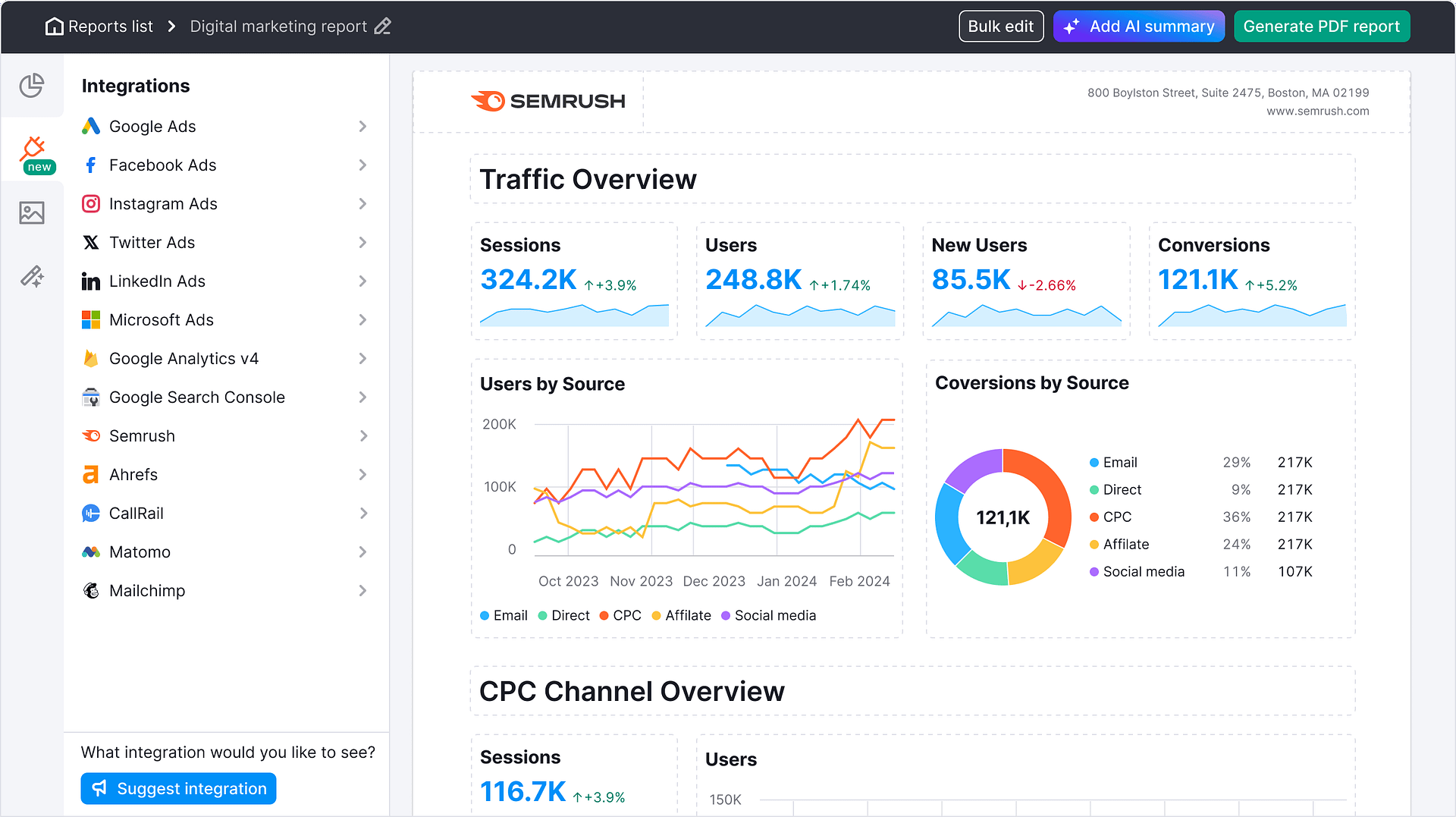
Some of its core features include:
- Keyword research – discover keywords, search volume, and ranking difficulty.
- Competitor analysis – analyze competitors’ organic and paid traffic.
- Site Audit – identify technical SEO issues.
- Backlink analysis – monitor backlinks and find link-building opportunities.
- Rank tracking – track keyword positions over time.
- Content optimization – generate and optimize content for SEO.
- AI Visibility – measure how your brand appears in AI-powered search and answer engines. (Semrush)
No.2 SE Ranking
SE Ranking is an all-in-one SEO platform designed for marketers, agencies, businesses, and website owners. It combines keyword tracking, website auditing, competitor analysis, backlink monitoring, content optimization, and reporting in a single tool. (SE Ranking).

Its main features include:
- Rank Tracking – Monitor keyword rankings across Google, Bing, Yahoo, and other search engines by location and device.
- Website Audit – Identify technical SEO issues such as broken links, duplicate content, page speed problems, and indexing errors.
- Keyword Research – Discover search volume, keyword difficulty, search intent, and related keyword ideas.
- Competitor Analysis – Analyze competitors’ organic and paid search performance, keywords, and traffic estimates.
- Backlink Checker & Monitor – Review backlink profiles, identify new/lost links, and assess link quality.
- On-Page SEO Checker – Get optimization recommendations for individual pages.
- Content Marketing Tools – Generate content briefs, optimize articles for target keywords, and improve topical relevance.
- Local SEO – Track local rankings and manage business visibility for location-based searches.
- Reporting & White Label – Create automated SEO reports, particularly useful for agencies. (SE Ranking)
No3.
Ahrefs is a popular all-in-one SEO (Search Engine Optimization) and digital marketing platform. It helps website owners, marketers, and businesses improve their visibility in search engines and monitor their online presence. (Ahrefs)
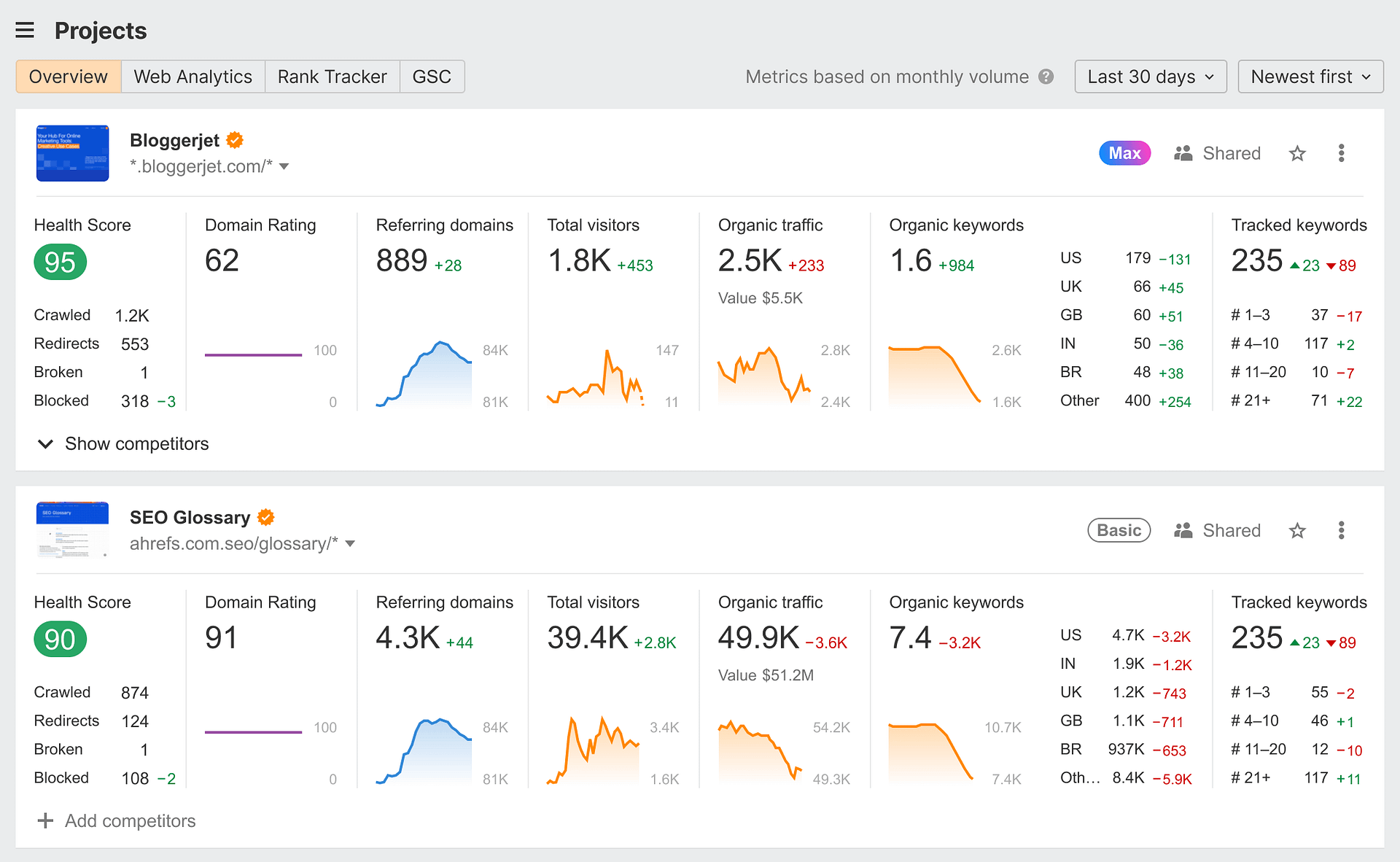
Its main features include:
- Keyword Research – Discover keywords, search volume, keyword difficulty, and traffic potential.
- Backlink Analysis – Analyze backlinks to your website and competitors.
- Site Audit – Identify technical SEO issues affecting your site’s performance.
- Rank Tracker – Monitor your keyword rankings over time.
- Content Explorer – Find high-performing content and content ideas.
- Site Explorer – Analyze any website’s organic traffic, top pages, and backlink profile.
- AI & Brand Visibility – Track how your brand appears in AI search experiences and chatbot-generated answers. (Ahrefs)
Ahrefs is widely used by:
- SEO professionals
- Digital marketers
- Content creators
- Agencies
- E-commerce businesses
No.4 MozBar
MozBar is a browser extension developed by Moz that helps you analyze the SEO of any webpage directly in your browser. It is available for Chrome and Firefox. (Chrome Web Store)

Key features
- Domain Authority (DA) and Page Authority (PA) metrics
- On-page SEO analysis, including:
- Title tag
- Meta description
- Headings (H1–H6)
- Canonical tags
- Schema markup
- Hreflang tags
- Robots directives
- Link highlighting to distinguish:
- Internal vs. external links
- Followed vs. nofollow links
- SERP overlay, showing SEO metrics directly in Google search results
- Technical SEO checks, such as robots.txt, sitemap references, and HTTP status information. (Chrome Web Store)
Free vs. Pro
- Free (Community account):
- View DA and PA
- Basic on-page analysis
- Link highlighting
- Moz Pro subscribers:
- Spam Score
- Brand Authority
- Keyword insights
- Expanded domain analysis
- Additional SERP metrics and optimization tools. (Chrome Web Store)
No.5 Google Keyword Planner
Google Keyword Planner is Google’s free keyword research tool inside Google Ads. It helps you discover keywords, estimate search demand, and plan PPC campaigns. It’s also commonly used for SEO research, although it was primarily designed for advertisers. (Google Support)

You can access it here:
What you can do with it
- Find new keyword ideas related to your business or website.
- See average monthly search volume.
- Check keyword competition (for Google Ads).
- View estimated cost-per-click (CPC).
- Filter keywords by location, language, and date range.
- Forecast clicks, impressions, and ad costs for campaigns. (Google Support)
How to use it
- Sign in with a Google account and create a Google Ads account if you don’t already have one.
- Open Tools → Planning → Keyword Planner.
- Choose one of two options:
- Discover new keywords – Generate keyword ideas from a word, phrase, or website.
- Get search volume and forecasts – Upload a list of keywords to see search estimates.
- Filter the results by country, language, search network, or date.
- Export the keyword list as a CSV or add keywords directly to an ad campaign. (Google Support)
Is it free?
Yes. Keyword Planner is free to use with a Google Ads account. However, accounts that are not actively running ads may see search volumes displayed in broad ranges (for example, “1K–10K”) rather than precise numbers. (Google Support)
If you’re using it for SEO, I can also show you how to find low-competition, high-traffic keywords using Keyword Planner step by step.
No.6 Screaming Frog SEO Spider
Screaming Frog SEO Spider is a powerful desktop SEO crawler that helps website owners, marketers, and SEO professionals identify technical SEO issues. It scans your website like a search engine and provides detailed reports on broken links, duplicate content, missing meta tags, redirects, page titles, and much more.ls managing larger sites.


What is Screaming Frog SEO Spider?
Screaming Frog SEO Spider is a website crawling tool available for Windows, macOS, and Linux. It analyzes websites of all sizes and helps improve technical SEO performance.
Key Features
- Crawl websites of any size
- Find broken links (404 errors)
- Detect redirect chains and loops
- Audit page titles and meta descriptions
- Find duplicate content
- Check heading tags (H1, H2)
- Analyze images and missing ALT text
- Generate XML sitemaps
- Detect canonical tag issues
- Review robots.txt directives
- Find orphan pages (with integrations)
- JavaScript rendering support
- Integration with Google Analytics and Google Search Console
Free vs Paid Version
| Feature | Free | Paid |
|---|---|---|
| Crawl Limit | 500 URLs | Unlimited |
| Basic SEO Audit | ✅ | ✅ |
| Save Crawl Projects | ❌ | ✅ |
| Google Analytics Integration | ❌ | ✅ |
| Google Search Console Integration | ❌ | ✅ |
| JavaScript Rendering | Limited | Full |
| Scheduling | ❌ | ✅ |
No.7 Google Analytics
Google Analytics is a web analytics platform by Google that helps you understand how people find and use your website or app. It tracks user behavior, measures marketing performance, and provides insights to improve your online presence.

What Google Analytics can do
- Track website visitors and sessions
- Measure traffic sources (Google Search, social media, email, ads, etc.)
- Analyze user behavior (pages viewed, time on site, clicks)
- Monitor conversions (purchases, form submissions, sign-ups)
- Understand audience demographics and interests (where available)
- Create custom reports and dashboards
Key metrics
- Users – Number of unique visitors
- Sessions – Visits to your website
- Engagement Rate – Percentage of engaged sessions
- Average Engagement Time – Time users actively spend on your site
- Events – User interactions (clicks, downloads, video plays)
- Conversions – Important actions completed by users
Google Analytics 4 (GA4)
The current version is Google Analytics 4 (GA4), which:
- Uses an event-based tracking model
- Works across websites and mobile apps
- Includes AI-powered insights and predictive metrics
- Integrates with Google Ads and other Google products
Common uses
- Monitor website performance
- Improve SEO and content strategy
- Measure advertising ROI
- Identify high-performing pages
- Understand customer journeys
- Optimize conversions
How to get started
- Create a Google Analytics account.
- Set up a GA4 property.
- Install the Google tag on your website.
- Verify data collection.
- Configure events and conversions.
- Review reports and insights.
If you’re new to Google Analytics, I can also explain:
- GA4 for beginners
- How to install Google Analytics on WordPress, Shopify, or a custom website
- How to read GA4 reports
- How to create conversions and custom events
- Google Analytics interview questions or certification preparation
No.8
Google Search Console: Complete Beginner’s Guide (2026)

What Is Google Search Console?
Google Search Console (GSC) is a free tool from Google that helps website owners monitor, maintain, and improve their website’s visibility in Google Search. It provides valuable insights into how your site performs in search results and alerts you to issues that may affect your rankings.
It is one of the most important SEO tools for bloggers, businesses, developers, and digital marketers.
Key Features
- Monitor website performance in Google Search
- Submit XML sitemaps
- Request indexing for new pages
- Find keywords bringing visitors
- Check page indexing status
- Discover crawl errors
- Improve Core Web Vitals
- Monitor backlinks (links report)
- Fix mobile usability issues
- Receive security and manual action alerts
Why Google Search Console Is Important for SEO
Google Search Console provides direct data from Google, making it one of the most reliable tools for understanding how your site performs in search. It helps you identify technical issues, monitor keyword performance, improve indexing, and optimize your content to attract more organic traffic.
No.9 Mangools
Mangools: Complete SEO Tool Overview (2026)
Mangools is an all-in-one SEO toolkit designed for bloggers, marketers, freelancers, and agencies. It is known for its beginner-friendly interface, accurate keyword research, and affordable pricing compared to larger SEO platforms like Semrush and Ahrefs. (mangools)


Mangools SEO Tools
| Tool | Purpose |
|---|---|
| KWFinder | Keyword research and keyword difficulty analysis |
| SERPChecker | Analyze Google search results and competitors |
| SERPWatcher | Track keyword rankings over time |
| LinkMiner | Backlink analysis and link-building opportunities |
| SiteProfiler | Website authority and competitor analysis |
Key Features
- Keyword search volume
- SEO difficulty score
- Long-tail keyword suggestions
- Competitor keyword analysis
- Backlink checker
- Rank tracking
- Local SEO support (65,000+ locations)
- Search Console integration
- White-label reports (higher plans)
- Browser extension
- AI Search Grader and free SEO tools (mangools)
No.10
BrightLocal: Complete Overview (2026)
BrightLocal is an all-in-one local SEO platform designed to help businesses, agencies, and marketers improve their visibility in Google Search and Google Maps. It combines local rank tracking, citation management, review monitoring, Google Business Profile insights, and reporting in one dashboard. (BrightLocal)

Key Features
- Local Rank Tracking
- Track Google Search, Google Maps, and Local Pack rankings.
- Monitor keyword positions by city, ZIP code, or neighborhood.
- Compare your rankings with competitors. (BrightLocal)
- Local Search Grid
- Displays rankings across different areas of a city instead of a single average position.
- Helps identify where your business performs well and where improvement is needed. (BrightLocal Help Center)
- Citation Management
- Find inconsistent business listings.
- Build and update citations across online directories.
- Improve NAP (Name, Address, Phone) consistency. (BrightLocal)
- Google Business Profile Management
- Monitor profile performance.
- Track visibility and customer interactions.
- Identify optimization opportunities. (BrightLocal)
- Review Management
- Monitor reviews from multiple review sites.
- Generate more customer reviews.
- Respond to reviews and analyze reputation trends. (BrightLocal)
- Local SEO Audits
- Website audit
- Citation audit
- Google Business Profile audit
- Local SEO health reports. (BrightLocal)
- AI Insights
- BrightLocal Brain analyzes local SEO data and provides recommendations to improve rankings and visibility. (BrightLocal Help Center)
Pros
- Excellent for local SEO campaigns
- Easy-to-understand reports
- White-label reporting for agencies
- Strong citation management
- Accurate local rank tracking
- Free trial available (BrightLocal)
Cons
- Primarily focused on local SEO rather than full-scale SEO.
- Backlink analysis is not as comprehensive as platforms like Ahrefs or Semrush.
- Advanced features can require higher-tier plans. (BrightLocal)
Pricing (2026)
BrightLocal offers plans starting at approximately:
- Track: from $29/month
- Manage: from $36/month
- Grow: from $44/month
A 14-day free trial is available with no credit card required. Pricing may vary over time. (BrightLocal)
Best For
- Local businesses
- SEO agencies
- Multi-location businesses
- Digital marketers
- Google Business Profile optimization
Alternatives
- Semrush
- Ahrefs
- Moz Local
- Whitespark
- Local Falcon
Verdict
BrightLocal is one of the strongest tools available for local SEO, especially if your goal is to improve Google Maps rankings, manage business listings, monitor reviews, and generate professional client reports. It is a great choice for local businesses and agencies, though you’ll likely want to pair it with a broader SEO suite like Semrush or Ahrefs for backlink research and comprehensive keyword analysis. (BrightLocal)