

Introduction
Building a web application traditionally requires several different skills. You may need to understand programming languages, databases, user authentication, APIs, hosting, security, responsive design, and deployment. For someone with a business idea but limited coding experience, these technical requirements can make app development difficult.
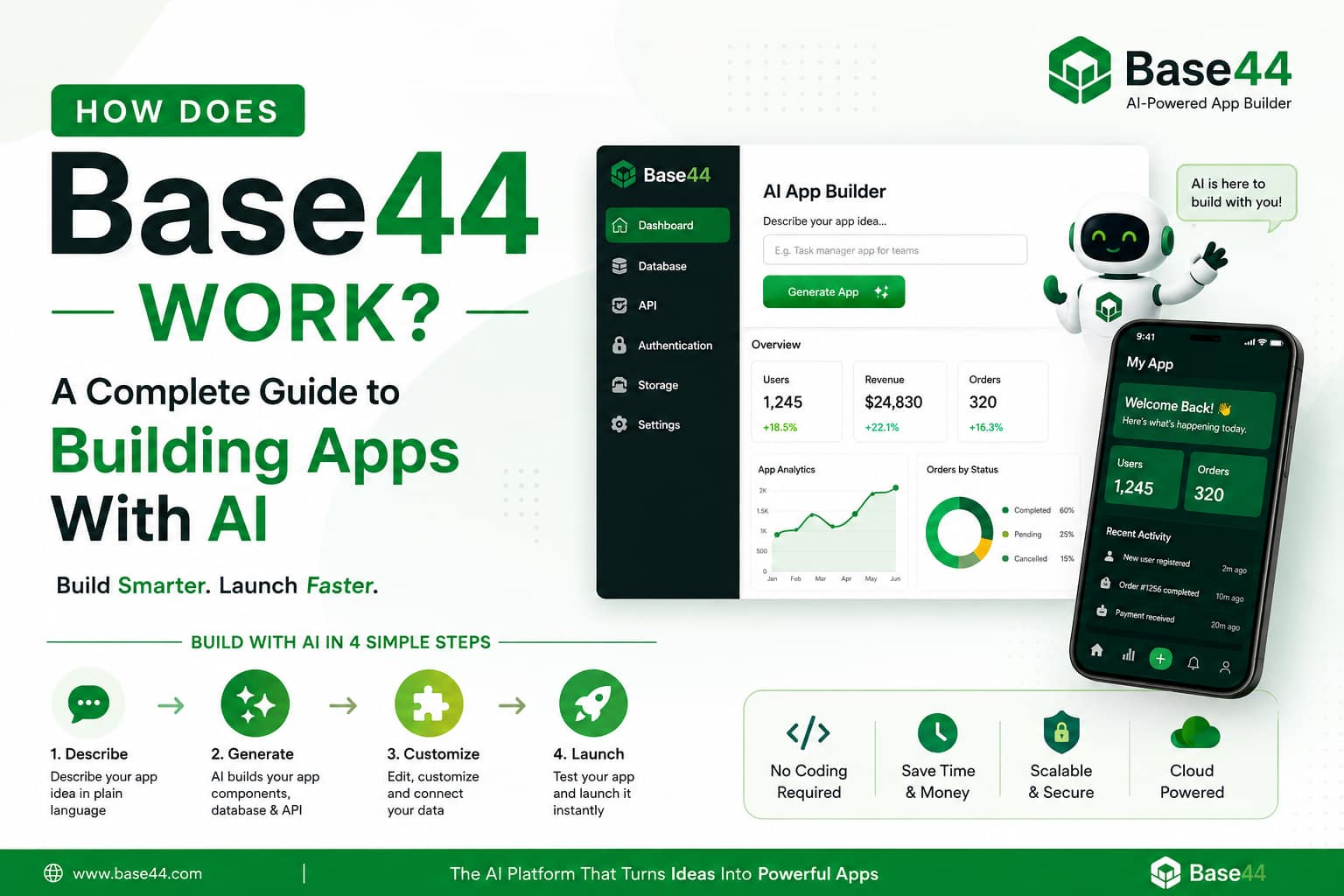
Base44 changes this process by allowing users to describe an application in natural language and then use AI to generate a functional application.
Instead of beginning with thousands of lines of code, you can begin with a simple description of what you want to build. Base44’s AI can generate the interface, data structure, application logic, authentication, workflows, and other components needed for a working application.
This makes Base44 particularly interesting for entrepreneurs, beginners, developers, marketers, agencies, students, and businesses that want to transform an idea into a working product quickly.
In this guide, you will learn what Base44 is, how Base44 works, how to create an app step by step, how to write effective prompts, how databases and authentication work, how to publish an application, and what you should consider before using it for a serious project.

What Is Base44?
Base44 is an AI-powered application-building platform designed to help users create functional web applications using natural-language instructions.
Instead of manually building every component, you communicate with the platform through its AI builder.
For example, you could write:
“Create a customer management dashboard where users can register, add customers, track sales, schedule follow-ups, and view monthly revenue.”
The AI can interpret this requirement and generate an initial application containing relevant pages, data structures, workflows, and functionality.
Base44 describes its platform as capable of creating productivity applications, internal tools, customer portals, and larger business applications using natural-language interaction.
The important idea is that Base44 does not simply create a static webpage. Its platform is designed to produce applications containing interfaces, data, logic, authentication, integrations, and deployment capabilities.
How Does Base44 Work?
The easiest way to understand Base44 is to think of it as a conversation between you and an AI software-building assistant.
The general workflow looks like this:
Idea → Prompt → AI interpretation → Application generation → Testing → Refinement → Integration → Publishing
You explain what you want.
Base44 interprets your requirements.
It generates the application structure.
You test the result.
Then you continue giving instructions to improve or change the application.
This conversational development model means that you don’t necessarily need to understand every technical detail before starting.
The Base44 Development Process
Step 1: Start With an Application Idea
Before opening Base44, identify the problem your application should solve.
For example, suppose you want to create an employee task management system.
Your basic idea might be:
- Employees can create accounts.
- Managers can create projects.
- Tasks can be assigned to employees.
- Employees can update task status.
- Managers can view progress.
- The dashboard displays completed and pending tasks.
This is enough to begin.
You don’t need to know exactly which database tables or programming frameworks should be used.
The purpose of Base44 is to help translate the requirements into a functional application.
Step 2: Describe Your App Using Natural Language
The next step is to explain your idea to Base44’s Builder chat.
The platform’s Builder chat allows users to communicate with Base44 using natural language.
A weak prompt might be:
“Make a task app.”
That gives the AI very little information.
A stronger prompt would be:
“Build a modern task management web application for small businesses. Users should be able to create accounts and log in. Administrators can create projects and assign tasks to employees. Each task should contain a title, description, priority, due date and status. Employees should be able to update their task status. Create a dashboard showing total tasks, completed tasks, overdue tasks and pending tasks. Use a clean responsive design that works on desktop, tablet and mobile.”
The second prompt provides much more useful information.
Step 3: Base44 Interprets Your Requirements
After receiving the prompt, the AI analyzes what you are asking for.
It needs to determine things such as:
- What pages are required?
- What information needs to be stored?
- What users exist?
- What actions can users perform?
- What relationships exist between data?
- What workflows are required?
- What permissions should different users have?
- What interface should be displayed?
AI application builders generally translate natural-language requirements into interface components, data structures, and application logic.
This is one of the most important differences between traditional website builders and AI application builders.
Step 4: Base44 Creates the Application Interface
The next layer is the user interface.
Depending on your requirements, Base44 can generate things such as:
- Login screens
- Registration pages
- Dashboards
- Forms
- Tables
- Navigation menus
- Profile pages
- Admin panels
- Customer portals
- Reports
- Search interfaces
- Settings pages
Base44’s platform supports application screens such as dashboards, forms, portals, admin panels, and user flows.
You can then continue refining the design through natural-language instructions.
For example:
“Make the dashboard simpler and move the statistics cards to the top.”
Or:
“Change the navigation to a left sidebar and make the application mobile-friendly.”
Base44 also provides visual editing capabilities for adjusting interface elements such as colors, fonts and spacing.
Step 5: Base44 Creates the Data Structure
A real application usually needs to store information.
For example, a customer-management application may need:
Users
- User ID
- Name
- Role
Customers
- Customer ID
- Customer name
- Phone
- Company
- Status
Sales
- Sale ID
- Customer ID
- Amount
- Date
- Salesperson
Tasks
- Task ID
- Assigned user
- Description
- Priority
- Due date
- Status
Instead of manually creating all of this infrastructure from scratch, Base44 can automatically configure database infrastructure based on the application requirements.
This is particularly useful for beginners because database design is one of the areas that can become complicated in traditional development.
Step 6: Base44 Adds Application Logic
A beautiful interface is not enough.
An application needs rules that determine what happens when users interact with it.
For example:
User submits registration form → create account
User creates task → save task
Manager assigns task → update task ownership
Employee completes task → change status
Payment succeeds → update subscription
These rules are called application logic or business logic.
Base44 can generate backend logic and workflows based on the requirements you provide. Its AI app-builder workflow is designed to produce not only visual components but also the logic that makes an application functional.
Step 7: Add User Authentication
Many applications need user accounts.
For example:
- Customer portals
- Employee dashboards
- Membership websites
- Learning platforms
- SaaS applications
- Booking systems
- CRM systems
Base44 provides built-in user authentication and user-management functionality.
This means your application can be designed around different users and permissions.
For example:
Administrator
Can:
- Manage users
- Create records
- Edit settings
- View reports
Employee
Can:
- View assigned tasks
- Update records
- Submit information
Customer
Can:
- View their account
- Upload documents
- Check orders
- Contact support
Defining these roles clearly in your prompt can help the AI produce a more appropriate application structure.
Step 8: Add File Storage
Some applications need users to upload files.
Examples include:
- PDFs
- Images
- Contracts
- Receipts
- Identification documents
- Product images
- Reports
Base44 provides file-storage capabilities for applications that need users to upload and retrieve files.
For example, you could ask:
“Allow customers to upload PDF documents from their dashboard. Administrators should be able to view the uploaded documents.”
The application can then be designed around that workflow.
Step 9: Connect External Services
Modern applications often need external services.
For example:
- Payment processing
- Google services
- CRM systems
- Automation platforms
- Cloud storage
- GitHub
Base44 supports integrations and provides connections to services such as Stripe, Google Drive, Salesforce and Zapier, among others.
This means your application doesn’t have to operate as an isolated system.
Step 10: Add Payments
If you’re building a SaaS product, marketplace, membership platform, or subscription service, you may need payments.
Base44 supports payment processing through Stripe integration, allowing applications to include checkout or subscription functionality.
For example, you could build:
- Free plan
- Basic plan
- Professional plan
- Enterprise plan
Then connect the payment workflow so customers can purchase a subscription.
Payment systems should always be tested carefully before a production launch.
Step 11: Test the Application
Never assume the first AI-generated version is perfect.
AI can produce a useful starting point, but you should test every important workflow.
Test:
- Registration
- Login
- Logout
- Password recovery
- Forms
- Database updates
- Search
- User permissions
- File uploads
- Payments
- Emails
- Mobile layouts
- Error handling
For example, if you created a booking system, try booking the same appointment twice.
Ask:
Does the application prevent duplicate bookings?
If not, explain the problem to Base44 and request a correction.
Step 12: Improve the App Through Conversation
One of Base44’s major advantages is that application development can continue through conversational instructions.
You don’t necessarily need to rebuild the project whenever you want to make a change.
For example:
“Add a search box to the customer table.”
Then:
“Add filters for customer status.”
Then:
“Add an export button that allows administrators to download customer data.”
Then:
“Add a confirmation dialog before deleting a customer.”
This creates an iterative development process.
Instead of trying to describe the entire application perfectly in one prompt, you can start with a foundation and improve it progressively.
What Is Discussion Mode in Base44?
Base44 also provides Discussion mode, which is designed for brainstorming and planning without directly affecting the live application.
This can be useful when you’re unsure about a feature.
For example, you could discuss:
“Should my customer portal have separate dashboards for customers and administrators?”
Or:
“What would be the best workflow for approving customer documents?”
This gives you a place to think through requirements before implementing them.
How to Write Better Base44 Prompts
The quality of your instructions can strongly affect the quality of the generated application.
A useful prompt should describe:
- The purpose of the app
- Target users
- Main pages
- Data requirements
- User roles
- Important workflows
- Design preferences
- Integrations
- Security requirements
- Expected behavior
Example of a Strong Base44 Prompt
Imagine you want to create a small-business CRM.
You could write:
“Create a responsive CRM application for small businesses. Include secure user registration and login. Create separate administrator and employee roles. Administrators can add, edit and delete customers. Employees can view customers and add notes. Each customer should have name, email, phone, company, status and notes. Create a dashboard showing total customers, active customers, inactive customers and recent activity. Add customer search and status filters. Create a clean professional interface with responsive desktop and mobile layouts. Include confirmation dialogs for destructive actions and ensure users cannot access administrative functions unless they have administrator permissions.”
This prompt gives the AI a much clearer specification.
Build in Small Stages
One common mistake is trying to create an extremely complicated application with one giant prompt.
A better approach is to divide the project into stages.
Stage 1: Foundation
Build:
- Authentication
- Navigation
- Main dashboard
- Database
Stage 2: Core functionality
Add:
- Forms
- Records
- Search
- Filters
- CRUD operations
Stage 3: Business workflows
Add:
- Notifications
- Approvals
- Automation
- Reports
Stage 4: Integrations
Add:
- Payments
- External APIs
- Cloud services
Stage 5: Polish
Improve:
- Mobile design
- Accessibility
- Error messages
- Loading states
- Empty states
- Branding
This approach makes troubleshooting easier.
What Types of Apps Can You Build With Base44?
Base44 can be used for many application categories.
1. Business Dashboards
You could create dashboards showing:
- Revenue
- Customers
- Orders
- Employees
- Performance
- Marketing data
2. CRM Applications
A CRM could manage:
- Leads
- Customers
- Sales
- Follow-ups
- Notes
- Communication history
3. Project Management Apps
Features could include:
- Projects
- Tasks
- Team members
- Deadlines
- Priorities
- Progress tracking
4. Customer Portals
Customers could:
- Log in
- View information
- Upload documents
- Submit requests
- Track progress
5. Internal Business Tools
Companies could create:
- Employee tools
- Inventory systems
- Approval systems
- Reporting dashboards
- Operations software
6. Educational Applications
You could build:
- Student dashboards
- Course systems
- Quiz platforms
- Learning trackers
- Teacher portals
7. SaaS Products
Base44 can also be used as a starting point for software-as-a-service products where users create accounts and access application functionality online.
Can Base44 Create Mobile Apps?
Base44 introduced functionality allowing users to turn a Base44 application into a mobile app and prepare it for submission to the Apple App Store and Google Play. The documented workflow lets users choose Web or Mobile publishing, perform a store-requirements scan, and download store-ready bundles for submission through their developer accounts.
This is important because it expands the platform beyond traditional browser-based applications.
However, publishing a mobile application still involves platform-specific developer accounts and store-review requirements.
Base44 and APIs
Modern applications often need APIs to communicate with other systems.
Base44 provides automatically generated API endpoints for application data and functionality.
For example, an application might need to communicate with:
Your application ↔ payment service
Your application ↔ CRM
Your application ↔ automation platform
Your application ↔ external data service
APIs make these connections possible.
Base44 and GitHub
Developers sometimes want more control than a no-code interface provides.
Base44 supports GitHub integration and code access, allowing developers to work more directly with the application’s codebase.
This creates a useful middle ground.
A beginner can use AI-generated development workflows, while an experienced developer can inspect and customize the underlying code when necessary.
Base44 Security Features
Security is particularly important when applications handle customer information or business data.
Base44 provides security-related functionality including authentication, access controls, secrets management, and security scanning.
The platform also provides tools intended to identify common vulnerabilities during development.
However, built-in security features should not be treated as a replacement for proper application testing.
Developers should still review:
- User permissions
- Sensitive data
- API access
- Authentication
- File permissions
- Payment workflows
- Administrative functions
How to Publish a Base44 Application
Once your application has been tested and refined, you can publish it.
A simplified workflow is:
Build → Test → Fix → Review security → Publish → Monitor
Base44 provides hosting and publishing capabilities, allowing generated applications to be shared after they are ready.
You can also connect a custom domain to your application. Base44 lists custom-domain functionality among its platform features.
For a business application, using a custom domain can make the product look more professional.
Example: Building an Expense Management App With Base44
Let’s consider a practical example.
Suppose you want to build an expense-tracking application.
Your requirements might be:
- User registration
- Login
- Expense creation
- Expense categories
- Monthly reports
- Dashboard
- Expense search
- Data filtering
- Receipt uploads
- Admin controls
You could begin with:
“Create an expense management web application for individuals and small businesses. Users should be able to register, log in, create expenses, assign categories, add descriptions and upload receipts. Create a dashboard showing total expenses, monthly spending and spending by category. Add search and date filters. Create an administrator role that can manage users. Make the application responsive and easy to use on mobile devices.”
Base44 can then generate the initial application structure.
After testing it, you could continue:
“Add a monthly expense chart.”
Then:
“Add an option to export expenses.”
Then:
“Add recurring expenses.”
Then:
“Add an approval workflow for business employees.”
The application gradually becomes more sophisticated.
Advantages of Using Base44
Faster Development
The biggest advantage is development speed.
Instead of starting with a blank coding environment, you can begin with a description of your idea.
Accessible to Beginners
People who don’t have extensive programming experience can experiment with application development.
AI-Assisted Development
The AI can help generate application structures, interfaces and functionality based on natural-language instructions.
Built-In Infrastructure
Features such as authentication, database management, storage, APIs and hosting reduce the amount of infrastructure that users need to configure manually.
Easy Iteration
You can continue modifying the application after the initial generation.
Useful for Prototypes and Business Tools
Base44 can be especially useful when you need to validate an idea quickly or create an internal business application.
Limitations and Things to Consider
Although AI app builders can dramatically simplify development, they are not magic.
AI Can Misunderstand Requirements
If your prompt is vague, the generated result may not match your expectations.
The solution is to provide precise requirements and test the result.
Complex Applications Still Need Planning
A large enterprise application can involve complicated:
- Data structures
- Security policies
- Permissions
- Compliance requirements
- Integrations
- Performance requirements
You should plan these areas carefully.
Generated Applications Must Be Tested
Never publish an application simply because it looks good.
A visually attractive application can still contain workflow or permission problems.
Costs Can Change With Usage
AI-powered application builders generally use platform resources according to features and usage. Before launching a commercial application, review Base44’s current pricing and usage limits.
Base44 vs Traditional Development
Traditional development generally follows this process:
Requirements → Design → Programming → Database → Backend → Testing → Deployment
Base44 compresses many of these steps into an AI-assisted workflow:
Idea → Prompt → Generated application → Refinement → Testing → Deployment
Traditional development still offers maximum control, particularly for highly specialized systems.
Base44’s advantage is speed and accessibility.
The best choice depends on the complexity of the project, the required level of customization, budget, security requirements and technical expertise.
Who Should Use Base44?
Base44 can be useful for:
Entrepreneurs
Entrepreneurs can quickly transform an idea into a working product.
Small Businesses
Businesses can create custom internal tools without building every system from scratch.
Marketers
Marketing teams can create dashboards, campaign tools and customer-facing applications.
Designers
Designers can turn interface concepts into functioning applications.
Developers
Developers can use AI-assisted generation to accelerate initial development and then customize the result.
Students
Students can experiment with application development and learn how software systems are structured.
Tips for Getting Better Results With Base44
Be Specific
Don’t say:
“Build a website.”
Instead say:
“Build a customer portal with login, document uploads, support requests and request-status tracking.”
Define User Roles
Tell Base44 who will use the application.
For example:
- Admin
- Manager
- Employee
- Customer
Describe Data Fields
Instead of saying “create customers,” explain what information each customer needs.
Explain Workflows
Tell the AI what should happen after each action.
Test Every Feature
Don’t assume generated functionality works exactly as intended.
Make Changes Incrementally
Small changes are often easier to understand and troubleshoot than huge instructions.
Ask for Error Fixes Clearly
If something doesn’t work, explain:
- What you did
- What you expected
- What actually happened
For example:
“When an employee submits a task, the status changes correctly, but the manager dashboard does not update. Fix the dashboard so it reflects the latest task status.”
This is much better than simply saying:
“Dashboard broken.”
Is Base44 a Replacement for Developers?
Not necessarily.
Base44 changes the role of the developer more than it eliminates development.
For simple applications, a non-technical user may be able to create much of the product independently.
For complex applications, developers can still provide significant value through:
- Architecture
- Security
- Performance optimization
- Advanced integrations
- Code customization
- Testing
- Compliance
- Scalability
AI can accelerate development, but human review remains important for serious applications.
Final Thoughts
Base44 represents a major change in how people can approach application development.
Instead of beginning with programming syntax, you can begin with a problem and explain your desired solution in ordinary language.
The platform can then help create the interface, database structure, application logic, authentication, workflows, integrations and deployment environment required for a functional application.
The most effective way to use Base44 is not to expect one prompt to produce a perfect product. Treat the AI as an iterative development partner.
Start with a clear idea.
Describe the core functionality.
Generate the first version.
Test it.
Identify problems.
Give precise instructions.
Add features gradually.
Review security.
Then publish.
For beginners, this can make software development much more approachable. For experienced developers, it can provide another way to accelerate prototyping and application development.
The key skill is therefore shifting from writing every line of code manually to clearly defining what the software should accomplish.