

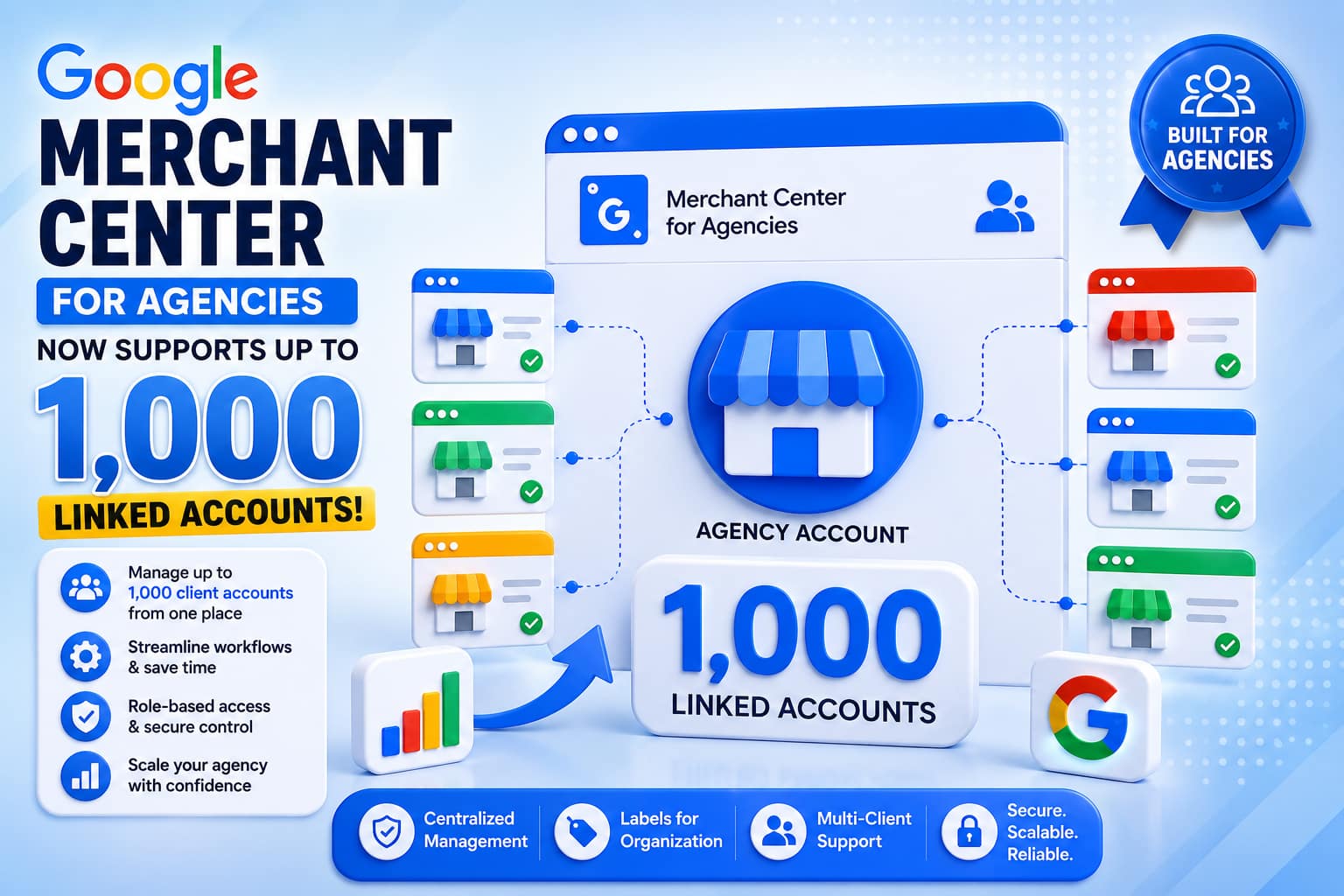
Google has clarified an important limit for its Merchant Center for Agencies platform: an agency account can now link up to 1,000 client Merchant Center accounts.
The clarification may appear like a small documentation update, but it is significant for agencies managing large ecommerce portfolios. Instead of wondering how many client accounts can be connected to one agency workspace, agencies now have a clearly documented ceiling for planning their operations and growth. (Search Engine Land)
Google Merchant Center
What Has Google Changed?
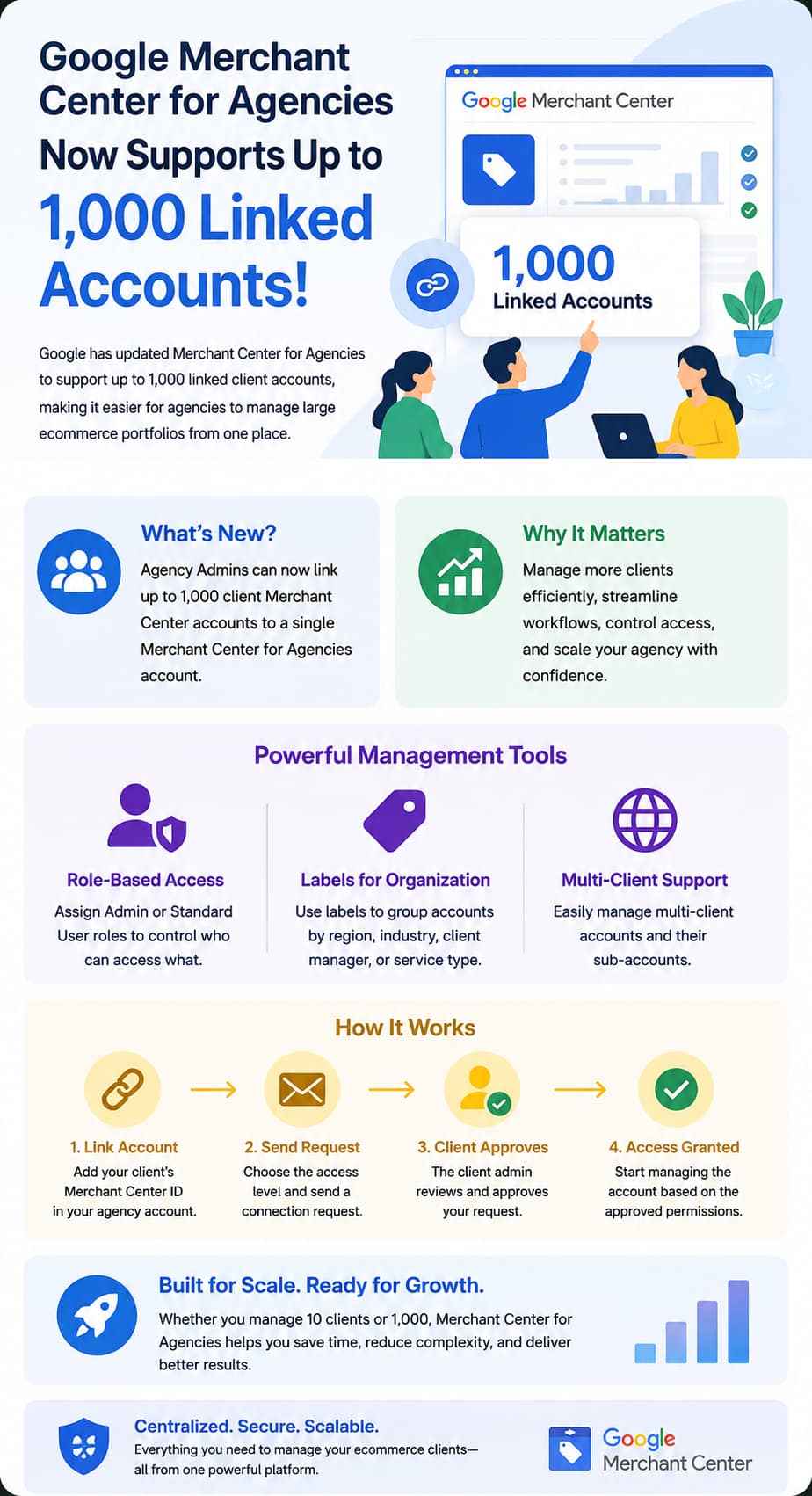
Google has updated its Merchant Center documentation to specify that Agency Admins can link as many as 1,000 client Merchant Center accounts.
Previously, this maximum was not clearly documented. The latest clarification gives agencies a better understanding of the scale supported by Merchant Center for Agencies. Importantly, Google has not announced a completely new account-management capability with this update. Instead, the change establishes a clearer limit for an existing agency management system. (Search Engine Land)
For agencies handling hundreds of ecommerce clients, this is useful information because account capacity can influence onboarding, internal workflows, staffing and future growth plans.
Why the 1,000-Account Limit Matters
Managing Merchant Center accounts individually can become increasingly complicated as an agency grows.
An agency might have separate teams responsible for:
- Product feed management
- Shopping campaign support
- Merchant Center troubleshooting
- Product approvals
- Account monitoring
- Performance analysis
- Client reporting
- Ecommerce strategy
When dozens or hundreds of merchants are involved, managing permissions and account access individually can create unnecessary administrative work.
Merchant Center for Agencies is designed to centralize these activities. Google describes it as a system that allows agencies to manage multiple client accounts from a central environment, while also providing tools for user access and account-level permissions. (Google Help)
The 1,000-account ceiling therefore provides a useful benchmark for agencies building large-scale ecommerce operations.
Merchant Center for Agencies: What Does It Do?
Merchant Center for Agencies gives agencies a centralized way to connect and manage client Merchant Center accounts.
Instead of treating every client account as a completely separate workspace, an agency can establish a relationship between its agency account and its clients.
Google’s documentation highlights several capabilities, including centralized account management, agency-level user controls, client account connections and role-based permissions. (Google Help)
This structure is particularly useful for agencies where different employees work with different groups of clients.
For example, an agency could have one team working with fashion retailers, another handling electronics merchants and another managing international ecommerce brands. Rather than giving every employee unrestricted access to every client, administrators can use labels and permissions to control which accounts employees can access.
Role-Based Access Makes Large Portfolios Easier to Manage
One of the most useful parts of Merchant Center for Agencies is its role-based access model.
Google currently describes two primary agency user roles:
Agency Admin
Agency Admins have broad control over the agency account.
They can:
- Link and unlink client Merchant Center accounts
- Manage agency users
- Control access to client accounts
- Create and manage labels
- Request or approve account connections
- Access linked client accounts according to the agency’s permissions
Admins automatically receive access to linked accounts, subject to the agency’s overall access level. (Google Help)
Standard Users
Standard users have more restricted access.
Their access can be limited to specific client portfolios or groups of accounts. This is especially useful for larger agencies where employees do not need access to every merchant.
Google allows agencies to use Labels to organize client accounts and assign groups of accounts to specific Standard users. (Google Help)
This becomes increasingly important when an agency is managing hundreds of clients.
Labels Can Help Agencies Organize 1,000 Accounts
Managing 1,000 accounts would be difficult if every employee automatically received access to every merchant.
That’s where Google’s labeling system becomes valuable.
An agency can create labels based on factors such as:
- Client region
- Industry
- Account manager
- Service type
- Business size
- Priority level
- Internal team
- Market
For example, an agency could create labels such as:
US Retail Clients
European Ecommerce
Enterprise Accounts
Fashion Clients
Priority Accounts
A Standard user can then be assigned to one or more labels. That user receives access to the client accounts associated with those labels. (Google Help)
This creates a more structured approach to managing a large portfolio.
Multi-Client Accounts Are Also Supported
Merchant Center for Agencies can also work with multi-client accounts (MCAs).
When an agency links a client’s MCA, sub-accounts can inherit labels from the parent account. Agencies can also apply additional labels to individual sub-accounts when more specific control is required. (Google Help)
This is particularly relevant for businesses operating multiple brands, countries or storefronts.
For example, an international retailer could have separate Merchant Center sub-accounts for different markets. An agency can organize those accounts while maintaining a centralized relationship with the client.
How Client Account Linking Works
An Agency Admin can connect a client Merchant Center account from the agency’s account-management area.
The general process is:
- Open the agency’s Merchant Center account.
- Go to the client accounts section.
- Select the option to add an account.
- Enter the client’s Merchant Center ID.
- Select the required access level.
- Send the connection request.
- Have the merchant administrator approve the request when required.
Google also supports automatic account linking in situations where the requester already has Admin access to the merchant account. (Google Help)
This can reduce friction during onboarding.
What Happens When an Agency Requests Access?
Agencies can request either:
- Admin access, or
- Standard + performance and insights access
The merchant’s administrator receives the request and can approve or reject it.
Once approved, the agency receives the access level requested. The client continues to control the agency relationship and can remove the agency’s connection from the Partners section of Merchant Center. (Google Help)
This approach separates agency-wide management from individual employee access.
That distinction becomes particularly important when an agency has a large workforce.
The 1,000 Limit Is About Scalability, Not Just Capacity
The biggest significance of the update is not simply the number 1,000.
It is what the number tells agencies about Google’s intended scale for the platform.
An agency managing 20 clients has very different operational requirements from an agency managing 500 or 1,000 merchants.
At smaller scales, manually organizing access may be manageable. At larger scales, centralized permissions, account grouping and standardized workflows become much more important.
Google’s agency platform is built around this centralized approach. Google says Merchant Center for Agencies is intended to improve operational efficiency and provide centralized oversight across client accounts. (Google Help)
What This Means for Large Digital Agencies
The update could be particularly useful for agencies specializing in ecommerce, retail media and product-feed management.
Consider an agency with 400 clients.
Without centralized management, employees may need to work across hundreds of separate Merchant Center environments. Access changes, employee departures, new hires and client onboarding can all create administrative overhead.
With an agency-level structure, the business can instead organize accounts around internal teams and responsibilities.
For example:
Agency Admins
→ Manage the overall portfolio
Account Management Team
→ Access assigned client groups
Feed Specialists
→ Work with relevant merchant accounts
Performance Team
→ Monitor assigned portfolios
Leadership
→ Maintain broader visibility
This type of organization can become increasingly valuable as the client base grows.
A Major Benefit for Client Onboarding
The new documented limit also makes long-term planning easier.
Suppose an agency currently manages 250 Merchant Center accounts and plans to grow to 600. The agency now has a clear documented ceiling that provides room for expansion without immediately needing a different account structure.
Likewise, agencies approaching the 1,000-account threshold can identify the need for future operational planning before reaching that point.
The update therefore provides greater predictability for agencies building large Merchant Center portfolios.
What the Update Does Not Mean
It is important not to overstate the announcement.
Google has not introduced a new advertising campaign limit of 1,000 accounts.
The update specifically concerns the number of client Merchant Center accounts that can be linked to a Merchant Center for Agencies account. Search Engine Land reported that the change primarily clarifies the previously undocumented limit rather than introducing a major new feature. (Search Engine Land)
Google Ads and Merchant Center have separate account-linking structures and limits, so agencies should not assume that the 1,000-account figure applies to Google Ads accounts or other Google products.
Why This Matters for Ecommerce in 2026
Product data has become an increasingly important part of ecommerce marketing.
Merchants need accurate information about:
- Product titles
- Prices
- Availability
- Images
- Product identifiers
- Shipping
- Promotions
- Product categories
Problems with product data can affect visibility and advertising performance.
For agencies managing many merchants, identifying and resolving these issues efficiently can be a major operational challenge.
A centralized Merchant Center environment can help teams monitor multiple accounts instead of treating every merchant as an isolated workflow.
Google’s broader rollout of Merchant Center for Agencies in 2026 also reflects the company’s effort to give agencies a centralized environment for managing product data and merchant accounts at scale. (Search Engine Land)
What Agencies Should Do Now
Agencies already using Merchant Center for Agencies should review their account structure and determine whether it is prepared for continued growth.
A sensible approach includes:
1. Audit Current Account Access
Review which employees have access to which client accounts.
Remove unnecessary permissions and make sure former team members no longer have access.
2. Build a Clear Label Structure
Instead of creating labels randomly, establish a consistent naming system.
For example:
Region → Service → Client Type
This makes permissions easier to maintain as the portfolio grows.
3. Separate Admin and Standard Access
Not every employee needs administrative control.
Keep Admin access limited to people who genuinely need to manage agency users and account connections.
4. Standardize Client Onboarding
Create an internal process for requesting, approving and documenting new Merchant Center connections.
This becomes increasingly important as the agency adds dozens or hundreds of clients.
5. Monitor Portfolio Growth
If an agency is approaching a large number of linked accounts, leadership should track account capacity as part of its operational planning.
The newly documented 1,000-account limit gives agencies a concrete benchmark.
Final Thoughts
Google’s clarification that Merchant Center for Agencies can support up to 1,000 linked client accounts may not look like a dramatic product launch, but it is an important piece of information for agencies operating at scale.
The biggest advantage is predictability.
Agencies now have a clearer understanding of how large their Merchant Center portfolio can become within a single agency account. Combined with centralized management, role-based access, labels and multi-client account support, the platform provides a more structured foundation for managing large ecommerce portfolios. (Google Help)
For small agencies, the change may have little immediate impact. For large ecommerce agencies and organizations managing hundreds of merchants, however, the 1,000-account limit provides useful guidance for planning teams, permissions, onboarding and long-term growth.
As ecommerce becomes more dependent on accurate product data and efficient account management, the ability to organize large numbers of Merchant Center accounts from a centralized environment is likely to become increasingly valuable.
Source: Google Merchant Center documentation and Search Engine Land’s report on the newly clarified account limit. (Google Help)