

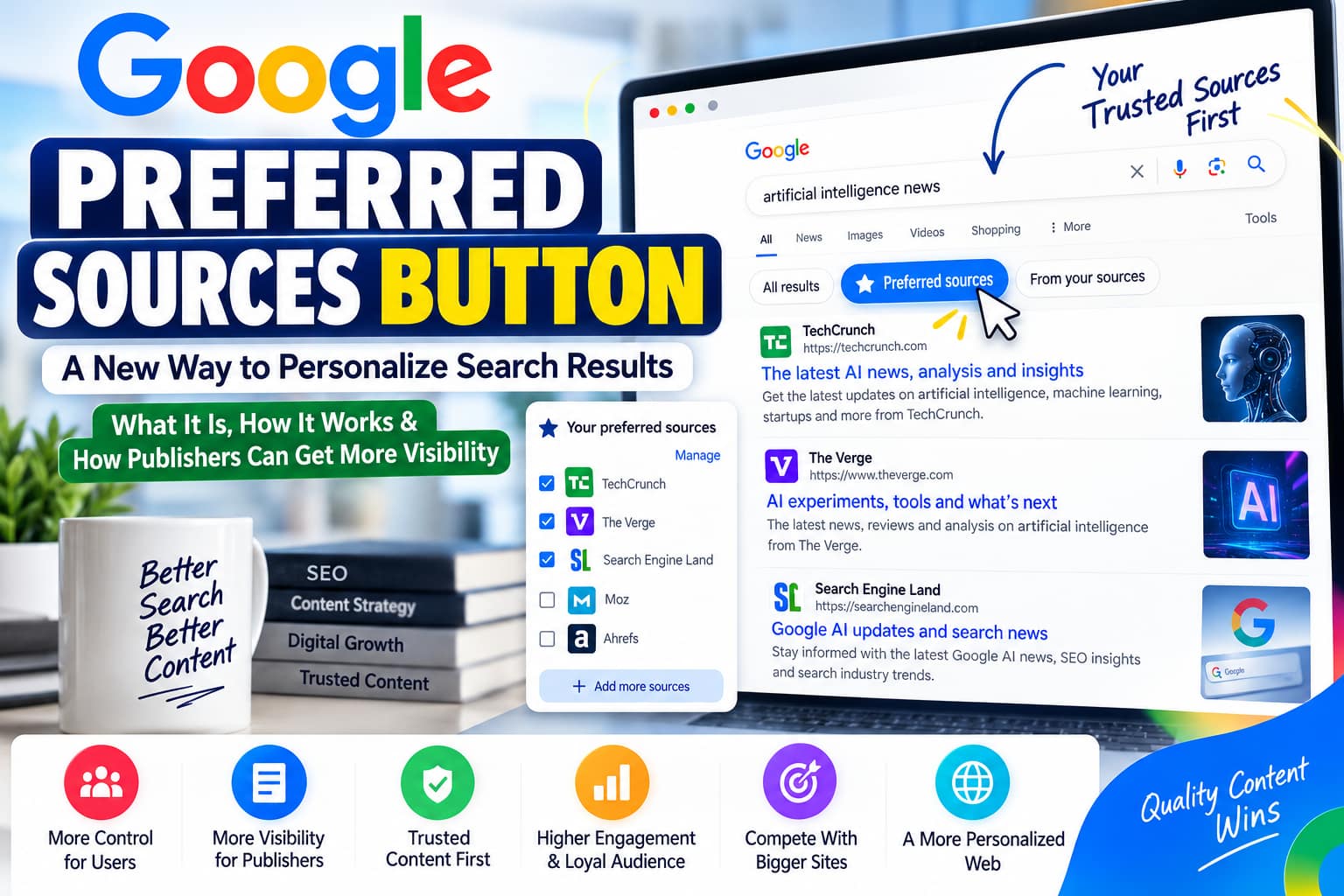
Google Preferred Sources Button 2026: How Publishers Can Get More Visibility
Google is giving readers more control over which publications they see in Search. For website owners, that creates a new opportunity to turn loyal visitors into a more engaged audience.
On August 20, 2026, Google introduced a new interactive Preferred Sources button that publishers can embed directly on their websites. A reader can use the button to select a publication as a preferred source and return to the page they were reading. The feature connects with Top Stories, AI Overviews, and AI Mode.
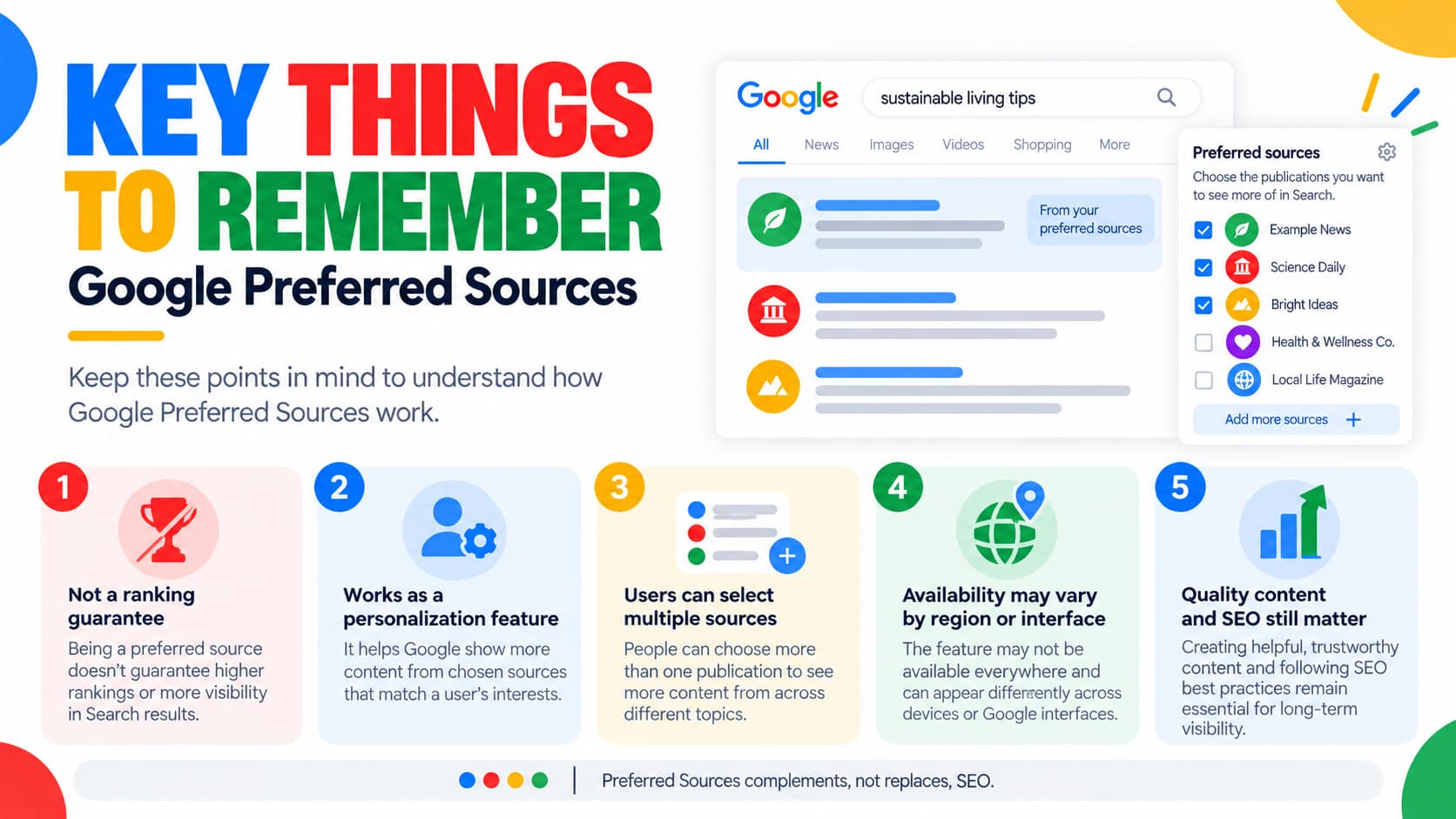
For independent publishers, technology blogs, local news websites, and niche content creators, this is worth understanding. However, the button is not a shortcut to guaranteed rankings. It is a reader-personalization feature that works alongside Google’s existing relevance and quality systems.
This guide explains what Preferred Sources is, what changed in 2026, who can use it, how to add the button to WordPress, and how to evaluate its potential impact on your website.
What Are Google Preferred Sources?
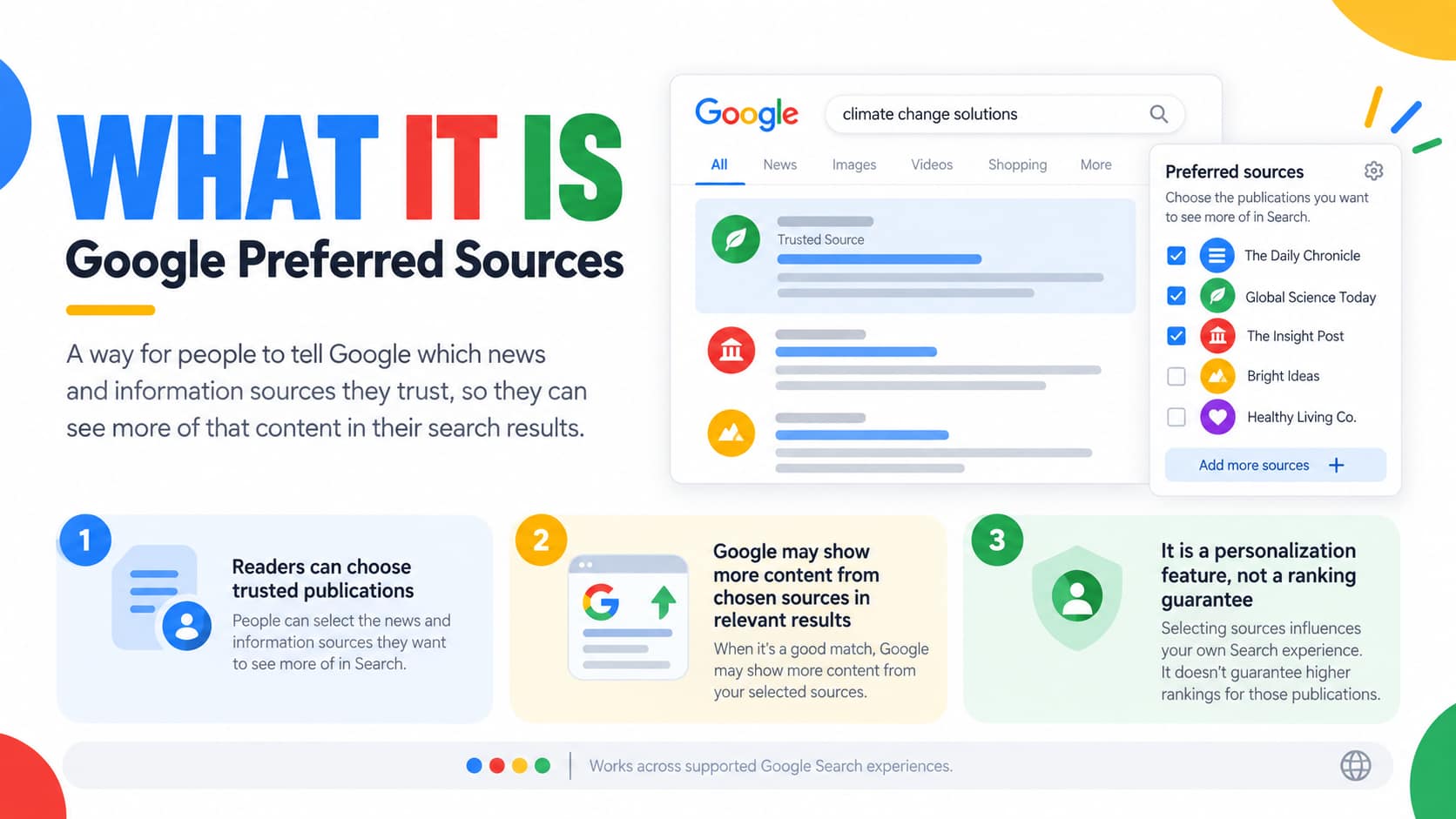
Preferred Sources allows people to tell Google which websites and publications they would like to see more often.
When a reader selects a website, Google can show more of its relevant, fresh content in Top Stories. The selected publication may also be highlighted with a preferred badge in AI Overviews and AI Mode where those experiences are available.
The feature does not remove competing websites from Search. Readers can select multiple sources, and Google continues to show content from other publishers.
For example, someone who regularly reads a technology website might select it as a preferred source. When that person searches for a relevant technology news topic, Google may surface more content from that publication.
The important distinction is that the reader chooses the source. Publishers can encourage the selection, but they cannot force Google users to prefer their website.
What Changed in August 2026?
Preferred Sources is not an entirely new concept. Google first launched the feature in the United States and India in August 2025, expanded it globally for English-language users in December 2025, and extended language availability during 2026.
The August 20, 2026 update introduced a more convenient way for publishers to promote the feature. Rather than relying only on a link that sends readers to Google’s source-selection interface, publishers can now use an interactive button that supports a smoother return to the original page.
Key Milestones
| Date | Development |
|---|---|
| August 12, 2025 | Preferred Sources launched in the U.S. and India. |
| December 16, 2025 | Top Stories availability expanded globally for English-language users. |
| April 30, 2026 | Google documented expansion to all supported Search languages. |
| May 27, 2026 | Google documented availability in AI Overviews and AI Mode. |
| August 20, 2026 | New interactive publisher button and implementation guidance released. |
These dates explain why the topic is relevant now: the 2026 update is primarily about easier publisher integration and broader personalization, not the first-ever launch of Preferred Sources.
How Does the Preferred Sources Button Work?
The new button can be placed on an eligible publisher’s website. When a reader clicks it, Google handles the source-selection flow and then returns the reader to the page they were viewing.
For publishers, this reduces friction. A visitor does not have to leave an article, manually search for the publication, and then find their way back.
The standard implementation uses Google’s JavaScript library and automatically adapts the button to supported languages and devices. Google also provides customization options and a simpler deeplink alternative.
Example Reader Journey
Imagine a visitor is reading a detailed WordPress tutorial on AI Landmark Solution. After finding the article useful, they see a small invitation:
“Enjoy our Google, AI and WordPress guides? Add AI Landmark Solution as a Preferred Source.”
The reader selects the button, confirms the preference through Google’s interface, and returns to the tutorial. In future relevant searches, Google may highlight content from the publication according to the reader’s preferences.
This is an example of how a publisher could use the feature; it does not establish that AI Landmark Solution is currently eligible. Eligibility must be checked in Google’s source-preferences tool.
Where Can Preferred Sources Appear?
Top Stories
Top Stories is the most established use case. For news-oriented searches, Google may show fresh and relevant articles from sources the user has selected. A preferred source can appear more often or within a dedicated “From your sources” area.
AI Overviews
Google’s documentation now includes Preferred Sources within AI Overviews. Selected sources can receive a preferred badge in supported experiences. This should not be interpreted as a guarantee that the website will be cited in every AI-generated answer.
AI Mode
Preferred Sources can also influence the personalization experience in AI Mode. The feature is available in supported languages and locales where AI Mode itself is available.
Google’s documentation distinguishes between global Top Stories availability and availability within AI features, so publishers should not assume every user sees the same interface.
Can Preferred Sources Increase Website Traffic?
Potentially, yes—but the impact depends on how many readers select a publication and whether it publishes content relevant to their searches.
Google reported in December 2025 that users who selected a preferred source clicked through to that site twice as much on average. That is an aggregate observation from Google’s early experience, not a promise that adding a button will double any individual website’s traffic.
Google also reported on August 20, 2026 that people had selected more than 600,000 unique sources. This indicates substantial adoption, but it does not reveal how much traffic a particular publisher can expect.
For a small website, the realistic benefits are more likely to come from stronger audience relationships, repeat discovery, and greater visibility among people who already value the publication.

Who Is Eligible to Use Preferred Sources?
Not every website or URL is automatically available in Google’s source-preferences tool.
Google’s publisher documentation says only domain-level and subdomain-level sites are eligible to appear in the tool. A subdirectory, such as /blog/, cannot be selected as a separate preferred source.
Google also advises publishers to check whether their site appears in the source-preferences search box before promoting the feature.
For example, a publication might be eligible at its main domain, while a separate blog folder would not be a separately selectable source.
Google’s user guidance also notes that sources which are not updated regularly may be unavailable.
Important Eligibility Note for AI Landmark Solution
Before adding the button to ailandmarksolution.com, search for the domain in Google’s Preferred Sources tool. I have not verified that your domain currently appears there. If it is unavailable, do not assume that adding JavaScript or a WordPress plugin will make it eligible.
How to Check Whether Your Website Is Available
Open Google’s source-preferences tool and search for your publication name or domain.
You can access the tool through the official Google interface here:
Search for your domain and check whether it appears as a selectable publication. If it does, test the selection with a Google account and confirm that the preference is saved.
Alternatively, search Google for a recent news topic, locate Top Stories, and select the Preferred Sources icon beside the heading. The precise interface may vary by device and region.
Official Interface Reference
The following is an illustrative screenshot of Google’s source-selection interface from the earlier rollout. The current 2026 interface may differ.
Suggested image placement: Add an actual screenshot from your own test directly below this section. Use the caption, “Checking whether a publication is available in Google Preferred Sources.”
How to Add the Preferred Sources Button to WordPress
Google recommends its standard JavaScript implementation for publishers who can add code to their websites. It requires a script in the page and a container where the button should appear.
The following is the official implementation pattern, rather than a custom-made imitation of Google’s button.
Step 1: Add Google’s Script
Add this script to your website’s <head> section:
<script async src="https://news.google.com/swg/js/v1/publisher.js"></script>In WordPress, you can add it using a trusted header/footer code-insertion tool or your child theme’s appropriate hook. Avoid editing WordPress core files or making changes directly to a parent theme that may be overwritten during updates.
Step 2: Add the Button Container
Place this code in the HTML area where you want the button to appear:
<div google-add-preferred-source-btn></div>For example, you might place it after the author information, near the end of a useful tutorial, or in a small publisher-follow section.
If you use the WordPress block editor, a Custom HTML block can be used for the container. The JavaScript itself is usually better added through a site-wide code-insertion method rather than repeatedly pasted into every article.
Step 3: Test the Button
Open the published page in a normal browser session and check whether the button renders. Click it and verify that the Google source-selection flow works as expected.
Test both desktop and mobile. If your website uses caching, JavaScript optimization, or a content-security policy, confirm that those settings are not preventing the script from loading.
Do not place multiple copies of the library script on the same page unnecessarily.
How to Change the Button Theme
Google’s standard implementation supports light and dark themes.
For a dark button, use:
<div google-add-preferred-source-btn data-theme="dark"></div>For the default light appearance:
<div google-add-preferred-source-btn data-theme="light"></div>The button also supports language customization, although Google normally adapts it to the visitor’s browser language.
Where Should Publishers Place It?
The best placement is one that feels useful rather than intrusive.
A practical approach is to place a small callout after the introduction or at the end of an article, with a short explanation of what the button does. A site-wide footer can also work, but readers may overlook it.
Avoid using misleading copy such as “Click here to guarantee our Google rankings.” The feature is about personalizing the reader’s experience, not purchasing or guaranteeing search positions.
Alternative: Add a Simple Preferred Sources Link
If your CMS does not support the interactive implementation, Google also provides a deeplink method.
For AI Landmark Solution, the example would be:
<a href="https://www.google.com/preferences/source?q=ailandmarksolution.com">
  Add AI Landmark Solution as a Preferred Source
</a>
This link directs readers to Google’s source-preferences interface for the domain. It should be tested before publication because the website must be available in the tool, and the user’s interface or eligibility may vary.
A simple text link is often a sensible starting point for smaller publishers because it is easy to maintain and does not require additional JavaScript.
Can You Customize the Button Design?
Yes. Google provides an advanced JavaScript implementation for publishers that want to use their own design assets or trigger the flow from a custom interface.
However, the standard button is the easiest option for most WordPress sites. It reduces the amount of custom code that needs to be maintained and follows Google’s documented integration.
If you decide to build a custom design, use Google’s official implementation rather than creating a button that merely looks similar but does not launch the actual source-selection flow.
What If the Button Says Your Site Is Not Eligible?
First, check whether the domain is available through Google’s source-preferences tool. If it is not, adding the button alone will not solve the problem.
If the domain is selectable through the tool but the JavaScript button fails, test the standard deeplink, try another browser session, and check for console errors. There have been publisher reports in Google’s support community about differences between the embedded-button flow and the source-preferences tool, so a failure does not always establish that the publisher is permanently ineligible. These reports are troubleshooting context, not an official guarantee of a particular fix.
If the issue persists, consult Google’s current documentation and support community rather than repeatedly changing your domain settings.
Is Preferred Sources the Same as Google News Approval?
No. Preferred Sources is a personalization feature that allows readers to select publications they value.
It should not be confused with a separate Google News approval certificate, a paid publisher registration, or a special ranking program.
Google’s publisher guidance focuses on whether a site appears in the source-preferences tool and how publishers can help readers select it.
Likewise, adding the button does not replace the need for useful content, technical SEO, or compliance with Google Search policies.
SEO Best Practices for Publishers Using Preferred Sources
The button is most useful when readers have a reason to return to your website. Publishers should therefore treat it as an audience-development tool rather than the foundation of their SEO strategy.
Publish Original, Useful Content
A technology publisher can add value through original screenshots, tested workflows, comparisons, practical examples, and clear explanations.
For AI Landmark Solution, a strong article might show the exact steps for fixing a WordPress problem or using a Saudi government service, with screenshots taken from the real process.
That gives readers a stronger reason to remember the publication and select it as a preferred source.
Maintain a Consistent Publishing Focus
A recognizable editorial identity helps readers understand what they can expect from a website.
Instead of publishing unrelated topics only because they are trending, build connected groups of articles around areas such as AI Search, WordPress, Google Ads, and Saudi digital services.
Each cluster can contain a comprehensive guide, supporting tutorials, troubleshooting articles, and relevant updates.
Keep Content Accurate and Updated
Preferred Sources does not mean that old content will automatically appear more often. Google continues to consider relevance and freshness for news-related results.
When updating an article, verify the information and explain meaningful changes. Avoid changing dates simply to make old content appear new.
Use Clear Authorship and Editorial Information
A transparent About page, author information, contact details, and editorial policy can help readers understand who is responsible for the content.
For practical tutorials, explain whether the steps were tested, researched from official documentation, or based on a specific product version.
Improve Article Presentation
Use descriptive headings, readable paragraphs, useful images, and clear navigation. Avoid intrusive pop-ups that interrupt users before they can read the content.
A Preferred Sources invitation should complement the article rather than distract from it.
Does Preferred Sources Replace Traditional SEO?
No.
Google’s AI-feature guidance continues to recommend foundational SEO practices, including making pages accessible to Search, following policies, and publishing helpful, reliable content. There are no special technical requirements solely for appearing in AI Overviews or AI Mode beyond the normal eligibility requirements for those features.
Preferred Sources adds a personalization layer. It does not replace indexing, relevance, quality, or the need to serve a useful page.
Publishers should continue working on internal linking, technical performance, content accuracy, and the overall reader experience.
Should You Add Special Schema for Preferred Sources?
There is no requirement to add a special “Preferred Sources” schema just to use the button.
For normal blog articles, appropriate Article or BlogPosting structured data can help Google understand information such as the headline, author, and publication dates. Google says Article structured data is not a requirement for eligibility in Google News features such as Top Stories.
Use structured data that accurately describes the page. Do not add misleading markup or assume that schema alone will make the website eligible for Preferred Sources.
How to Measure the Impact
A publisher should measure the feature as part of a broader audience strategy.
Start by recording a baseline before adding the button. Review organic traffic, returning visitors, engagement, and performance of your most important news and tutorial pages.
After implementation, compare equivalent periods and look for changes in relevant content rather than assuming every traffic increase was caused by Preferred Sources.
Use Search Console
Google’s Search Console provides performance information for Search and Discover. As of August 31, 2026, Google says its dedicated Generative AI performance insights have rolled out to websites worldwide, providing views of visibility within AI features.
These reports can help publishers examine impressions, pages, countries, devices, and trends in AI-feature visibility. They should not be confused with a dedicated report proving how many people selected a website as a Preferred Source.
Use Google Analytics
Analytics can help you evaluate returning visitors, engagement, and conversions. For example, a publisher might compare how many readers return to the website after launching a campaign encouraging Preferred Sources selections.
This is useful directional evidence, but it does not establish a direct causal relationship unless the publisher has a suitable measurement design.
Track Button Engagement
If your implementation supports event tracking, you can measure clicks on the Preferred Sources invitation. A click should not be counted as a confirmed source selection unless you have a reliable way to verify completion.
That distinction matters when reporting campaign results.
A Practical Strategy for Small Publishers
For an independent website, the strongest approach is to combine the button with an existing audience-building plan.
For example, publish a useful WordPress troubleshooting guide, share it with your newsletter readers, and include a small Preferred Sources invitation near the end. Readers who find the tutorial valuable may choose to follow the publication through Google.
You can also promote the feature through social media, email newsletters, and relevant website pages using Google’s documented deeplink method.
The objective is not to collect as many button clicks as possible. It is to build a group of readers who genuinely want to see more from your publication.
Preferred Sources vs Google Discover
Preferred Sources and Google Discover are related to content discovery, but they are not the same feature.
Preferred Sources lets readers explicitly select publications. Discover uses a personalized feed based on interests and activity.
Google announced additional Discover personalization features in August 2026, but publishers should not assume that adding a Preferred Sources button automatically increases Discover distribution.
Treat each channel separately when planning content and measuring results.
Common Mistakes to Avoid
The most common mistake is presenting the button as an SEO ranking guarantee. It is not.
Other mistakes include promoting a domain before checking eligibility, using an untested deeplink, placing the invitation too aggressively, assuming every user has the same feature availability, and confusing button clicks with completed preferences.
Publishers should also avoid sacrificing content quality to publish large quantities of articles merely to attract Preferred Sources selections.
The feature is most valuable when it reinforces an existing relationship with readers.

Final Thoughts
The Google Preferred Sources Button 2026 update gives publishers a more convenient way to build lasting connections with their audiences.
The new interactive implementation reduces friction by allowing readers to select a publication and return to the page they were reading. Preferred Sources can influence Top Stories and supported AI Search experiences, but it does not guarantee rankings, citations, or traffic growth.
For website owners, the practical next step is to check domain eligibility, test the official implementation, and place a clear invitation where readers are most likely to appreciate it.
For AI Landmark Solution, the strongest long-term opportunity is to combine the feature with useful, original tutorials and a consistent editorial strategy. A reader who trusts your content is far more likely to choose your publication as a preferred source—and return when they need another answer.
Frequently Asked Questions
What is the Google Preferred Sources Button?
It is an interactive publisher button that allows readers to select a website as a Preferred Source through Google and return to the page they were reading.
When was the new button launched?
Google announced the new interactive publisher button on August 20, 2026. The broader Preferred Sources feature originally launched in 2025.
Is Preferred Sources available worldwide?
The feature is available globally for Top Stories in supported Google Search languages. AI Overviews and AI Mode availability depends on where those features are supported.
Does adding the button guarantee higher rankings?
No. It is a personalization feature, not a guaranteed ranking improvement.
Can a WordPress website use the button?
Yes, if the publication is eligible and the website can implement Google’s documented JavaScript or deeplink method.
Do I need a special WordPress plugin?
No. Google provides a standard JavaScript implementation and a deeplink alternative.
Can I select a subdirectory as a Preferred Source?
No. Google’s documentation specifies domain-level and subdomain-level eligibility, not individual subdirectories.
Does Preferred Sources automatically increase Discover traffic?
No. Discover is a separate personalized content-discovery experience.
How can I measure the results?
Use Search Console and Analytics to monitor relevant visibility, traffic, and engagement. Track button interactions separately, and do not treat clicks as confirmed source selections.
What should I do if my website is not available?
Check the domain in Google’s source-preferences tool, review the current documentation, and continue improving the publication. Adding the button alone does not establish eligibility.