
Introduction
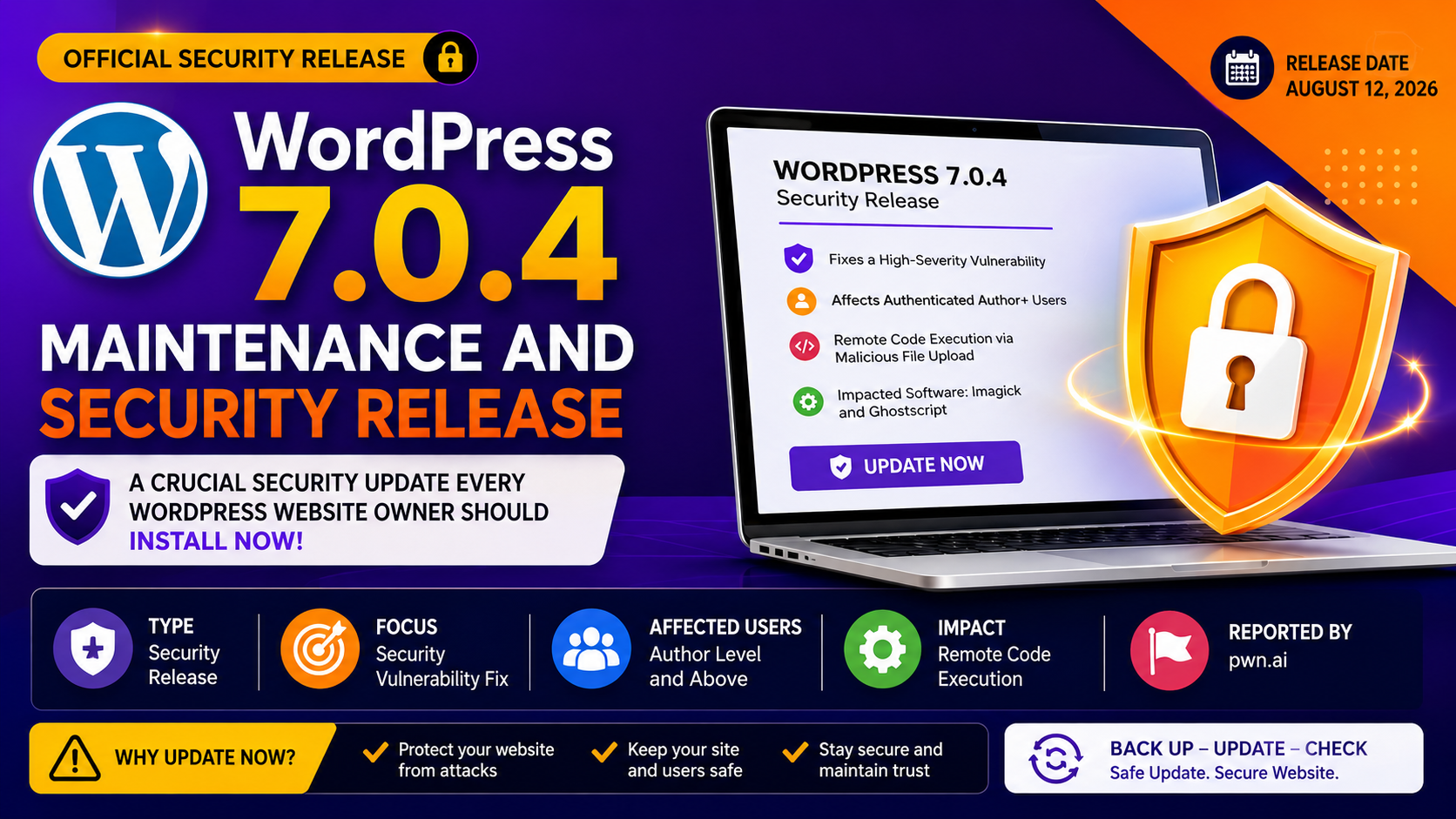
WordPress 7.0.4 is now available as an important security release for WordPress websites. Released on August 12, 2026, the update addresses a serious security vulnerability involving authenticated users, malicious file uploads, and websites using Imagick and Ghostscript. WordPress recommends that site owners update their websites as soon as possible. (WordPress.org)
Unlike a major WordPress release that introduces a large collection of new features, a security release such as 7.0.4 is primarily concerned with protecting existing websites. These updates can be easy to overlook because they may not visibly change the appearance of a website, but they can be extremely important for preventing attackers from exploiting known weaknesses.
This article explains what WordPress 7.0.4 contains, why the security fix matters, who may be affected, how to update safely, and what additional steps website administrators should take after installing the update.
What Is WordPress 7.0.4?
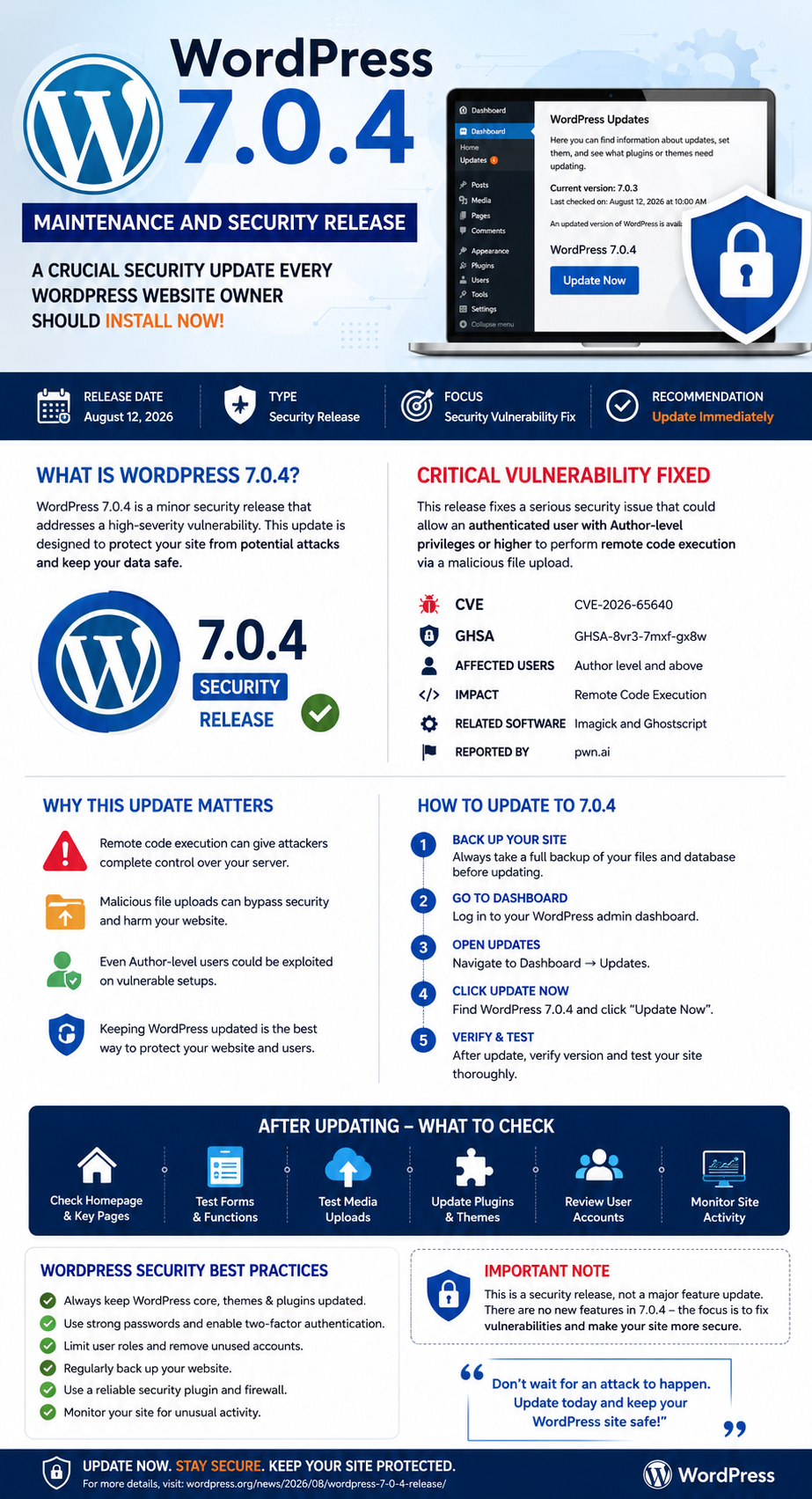
WordPress 7.0.4 is a minor security release in the WordPress 7.0 series. It was officially released on August 12, 2026 and contains a security fix related to malicious file uploads.
According to the official WordPress announcement, the vulnerability can potentially allow an authenticated user with Author-level privileges or higher to achieve remote code execution on a vulnerable configuration involving Imagick and Ghostscript. (WordPress.org)
WordPress has assigned the issue:
- CVE: CVE-2026-65640
- GHSA: GHSA-8vr3-7mxf-gx8w
- Affected area: Malicious file upload processing
- Potential impact: Remote code execution
- Relevant software: Imagick and Ghostscript
- Reported by: pwn.ai (WordPress.org)
Because remote code execution vulnerabilities can potentially give an attacker the ability to execute commands or code on a server, website administrators should treat this update as a priority.
Why WordPress 7.0.4 Is Important
Security vulnerabilities are particularly dangerous when they involve the ability to execute code on a server.
A typical WordPress website allows authorized users to upload media such as:
- Images
- Documents
- PDFs
- Other supported media files
WordPress and the underlying server environment process uploaded files using different libraries and tools. In certain configurations, image-processing software can introduce additional security risks.
The WordPress 7.0.4 fix addresses a vulnerability involving Imagick and Ghostscript that could be exploited through a malicious file upload by an authenticated Author-level user or someone with greater privileges. (WordPress.org)
The practical lesson for administrators is simple:
A user does not necessarily need to be a site administrator for a vulnerability involving file processing to become a serious security concern.
WordPress 7.0.4 Security Fix Explained
Authenticated Author+ Remote Code Execution
The primary security issue fixed in WordPress 7.0.4 is described as:
Authenticated Author+ remote code execution via malicious file upload on sites that use Imagick and Ghostscript. (WordPress.org)
Let’s break that description down.
What Does “Authenticated” Mean?
An authenticated user is someone who has successfully logged into the WordPress website.
This is different from an unauthenticated attack, where the attacker does not need an account.
In this particular vulnerability, the attacker needs an account with sufficient privileges.
What Does “Author+” Mean?
“Author+” means an account with Author-level privileges or higher.
Depending on the site’s configuration, this can include roles such as:
- Author
- Editor
- Administrator
This is important for websites that have multiple contributors, writers, editors, freelancers, or agency users.
What Is Remote Code Execution?
Remote Code Execution, commonly abbreviated as RCE, refers to a situation where an attacker can cause a computer or server to execute malicious code remotely.
RCE vulnerabilities are generally considered serious because successful exploitation can potentially allow an attacker to:
- Modify website files
- Access sensitive information
- Create malicious content
- Install unauthorized code
- Change website behavior
- Establish persistence
- Potentially compromise other parts of the hosting environment
The actual impact depends on the server configuration, permissions, installed software, and other security controls.
How Imagick and Ghostscript Fit Into the Problem
To understand the issue, it helps to know what these technologies do.
What Is Imagick?
Imagick is a PHP extension that provides an interface to ImageMagick, a widely used image-processing system.
Web applications can use it for tasks such as:
- Resizing images
- Converting image formats
- Creating thumbnails
- Processing uploaded graphics
- Manipulating image files
WordPress websites can encounter Imagick through their hosting environment and PHP configuration.
What Is Ghostscript?
Ghostscript is software commonly associated with processing formats such as PostScript and PDF.
It is useful for handling certain document and image-processing operations, but software that interprets complex file formats can become a security concern when maliciously crafted files are processed.
The WordPress 7.0.4 advisory specifically identifies configurations using Imagick and Ghostscript in relation to the vulnerability. (WordPress.org)
Who Should Update to WordPress 7.0.4?
The safest approach is for website owners running WordPress 7.0.x to update promptly.
This is particularly important for:
- Business websites
- News websites
- Membership websites
- WooCommerce stores
- Multi-author blogs
- Agency websites
- Websites accepting contributor uploads
- Websites where multiple users have WordPress accounts
- Websites using image-processing functionality
Even if you believe your website is unlikely to be targeted, security updates should not normally be postponed unnecessarily.
WordPress explicitly recommends immediate updating because this is a security release. (WordPress.org)
WordPress 7.0.4 vs. Previous 7.0 Releases
The 7.0 branch has already received several maintenance and security updates during 2026.
For example, WordPress 7.0.1 was a maintenance release that addressed bugs across Core and the Block Editor. WordPress 7.0.2 was subsequently released as a security update addressing serious security issues. (WordPress.org)
WordPress 7.0.4 continues this maintenance cycle with another security-focused update.
Simplified release timeline
| Version | Date | Main Purpose |
|---|---|---|
| WordPress 7.0 | May 20, 2026 | Major release |
| WordPress 7.0.1 | July 9, 2026 | Maintenance |
| WordPress 7.0.2 | July 17, 2026 | Security |
| WordPress 7.0.3 | August 6, 2026 | Security |
| WordPress 7.0.4 | August 12, 2026 | Security |
WordPress’ official release information confirms the 7.0 series and its maintenance history. (WordPress.org)
How to Update to WordPress 7.0.4
Updating WordPress is normally straightforward.
Method 1: Update From the WordPress Dashboard
Step 1: Log In
Sign in to your WordPress administrator dashboard.
Step 2: Open Updates
Navigate to:
Dashboard → Updates
WordPress should display information about available updates.
Step 3: Locate the WordPress Core Update
Look for the available WordPress update.
If your website is eligible for the update, you should see an option to update WordPress.
Step 4: Click “Update Now”
Click Update Now and allow WordPress to complete the process.
The official WordPress announcement confirms that WordPress 7.0.4 can be installed from the Dashboard → Updates section. (WordPress.org)
Step 5: Check the Version
After the update finishes, verify that your website is running the expected WordPress version.
You can usually check this from the WordPress dashboard or site information area.
Should You Back Up Your Website Before Updating?
Yes.
Although WordPress minor updates are designed to be relatively safe, creating a backup before any software update is a good maintenance practice.
Your backup should ideally include:
Website Files
Back up:
- WordPress core files
- Themes
- Plugins
- Uploads
- Custom files
- Configuration files
Database
Also create a backup of your WordPress database.
The database can contain:
- Posts
- Pages
- Users
- Settings
- Comments
- WooCommerce information
- Plugin data
A complete backup gives you a recovery option if an unexpected compatibility issue occurs.
What to Check After Installing WordPress 7.0.4
Do not simply update WordPress and immediately leave the website.
Perform a quick post-update check.
1. Open the Homepage
Visit the public website and confirm that the homepage loads normally.
2. Test Important Pages
Check:
- About page
- Contact page
- Services pages
- Blog
- Product pages
- Landing pages
3. Test the WordPress Dashboard
Log in and verify that the administration area works normally.
4. Test Forms
If your website uses contact or lead forms, submit a test message.
5. Check Media Uploads
Because this release addresses a vulnerability related to malicious file uploads, it is sensible to verify that legitimate media uploads continue to function as expected.
6. Check Your Plugins
Look for plugin updates and compatibility warnings.
7. Check Your Theme
If your website uses a custom theme, visit several pages and make sure there are no layout or functionality problems.
What Website Owners Should Do Beyond the Core Update
Installing WordPress 7.0.4 is important, but website security should not stop there.
Keep Plugins Updated
Outdated plugins are one of the common maintenance concerns for WordPress administrators.
Only install plugins from reputable sources and remove plugins that are no longer required.
Keep Themes Updated
An outdated theme can create security and compatibility problems.
If you have unused themes installed, consider removing them rather than leaving unnecessary software on the website.
Review User Accounts
Because the 7.0.4 vulnerability involves authenticated Author-level users or higher, user management deserves particular attention.
Review your WordPress users and ask:
- Does every account still need access?
- Are former employees still listed?
- Are old writers still active?
- Does every contributor need Author privileges?
- Are administrator accounts protected with strong passwords?
- Are there unnecessary accounts that can be removed?
Reducing unnecessary privileges is an important security principle.
Use Strong Authentication
Every WordPress account should use a strong, unique password.
For administrators and other privileged users, adding multi-factor authentication where supported can provide another layer of protection.
A strong security setup should combine:
Strong passwords + least privilege + updates + backups + monitoring
No single security feature can protect a website against every possible attack.
Why Security Updates Should Not Be Ignored
It can be tempting to postpone WordPress updates because the website appears to be working correctly.
However, a website can operate normally while containing a known security vulnerability.
The danger increases after a vulnerability becomes publicly documented because security researchers, defenders, and malicious actors can all study the same information.
That is why WordPress recommends updating promptly when security releases are published.
WordPress’ supported-version documentation also explains that security fixes may be backported to older branches as a courtesy, while the most recent major release is the officially supported version. (WordPress.org)
Does WordPress 7.0.4 Add New Features?
No major new feature should be the primary reason for installing WordPress 7.0.4.
This release is specifically presented by WordPress as a security release.
Its main purpose is to fix the vulnerability rather than introduce a large collection of user-facing features. (WordPress.org)
That distinction matters.
Major release
Usually focuses on:
- New features
- Editor improvements
- Performance changes
- Developer functionality
- User experience
Maintenance release
Usually focuses on:
- Bug fixes
- Stability
- Compatibility
- Smaller improvements
Security release
Primarily focuses on:
- Vulnerability fixes
- Security hardening
- Protecting users from known attack techniques
WordPress 7.0.4 belongs to the third category.
What Happens If You Don’t Update?
There is no guarantee that an outdated website will be attacked.
However, remaining on a vulnerable version leaves the site exposed to the weakness addressed by the security update.
Potential consequences of a successful website compromise can include:
- Website defacement
- Malware
- Spam pages
- Unauthorized administrator accounts
- Data theft
- Search-engine spam
- Redirects to malicious websites
- Loss of customer trust
- Hosting-account suspension
- Recovery and cleanup costs
For business websites, the consequences can extend beyond the technical problem.
A compromised website can damage a company’s reputation and interrupt normal operations.
WordPress 7.0.4 Security Checklist
Use the following checklist after learning about the release:
- Back up the website files
- Back up the WordPress database
- Update WordPress to 7.0.4
- Confirm the installed version
- Update plugins
- Update themes
- Remove unused plugins
- Remove unused themes
- Review WordPress user accounts
- Remove unnecessary users
- Review administrator privileges
- Use strong passwords
- Enable additional authentication protection where appropriate
- Test the homepage
- Test important pages
- Test contact forms
- Test media uploads
- Check website logs for unusual activity
- Confirm backups are working
Is WordPress 7.0.4 Safe to Install?
WordPress 7.0.4 is an official WordPress security release, and the project recommends updating sites immediately. (WordPress.org)
As with any software update, website owners with heavily customized installations should still follow a sensible backup and testing process.
If the website is business-critical, you can first test the update on a staging environment before deploying it to production.
For ordinary WordPress installations, however, delaying a security update without a good reason is generally not recommended.
What About Older WordPress Versions?
WordPress says that the 7.0.4 security fix is being backported through the 4.7 branch, with backports shipping as they become ready. The WordPress team also reminds users that only the most recent version is actively supported. (WordPress.org)
This is important for organizations that operate older WordPress installations.
If your website is running an older branch, don’t assume that it will remain protected forever simply because a historical branch sometimes receives security fixes.
A better long-term strategy is to maintain a supported WordPress version and plan upgrades before the software becomes outdated.
WordPress 7.0.4 for Website Owners: Key Takeaways
The most important points are:
1. It is a security release
WordPress 7.0.4 is not simply a cosmetic maintenance update. It contains a security fix. (WordPress.org)
2. The vulnerability involves file uploads
The security issue concerns malicious file uploads on configurations using Imagick and Ghostscript.
3. Author-level users can be relevant
The vulnerability is described as affecting authenticated Author-level users and above, making user permissions particularly important.
4. Remote code execution is serious
RCE vulnerabilities can potentially allow attackers to execute unauthorized code on a server.
5. Update promptly
WordPress explicitly recommends updating sites immediately.
6. Backups still matter
Always maintain current backups so that you have a recovery option if something goes wrong.
Frequently Asked Questions
What is WordPress 7.0.4?
WordPress 7.0.4 is a security release published on August 12, 2026. It fixes a vulnerability involving authenticated Author-level users, malicious file uploads, and configurations using Imagick and Ghostscript. (WordPress.org)
Is WordPress 7.0.4 a major release?
No. It is a minor security release within the WordPress 7.0 series.
Should I update my WordPress website?
Yes. WordPress recommends that websites update immediately because 7.0.4 contains a security fix. (WordPress.org)
What vulnerability does WordPress 7.0.4 fix?
The release fixes an authenticated Author+ remote code execution vulnerability involving malicious file uploads on sites using Imagick and Ghostscript. The advisory references are CVE-2026-65640 and GHSA-8vr3-7mxf-gx8w. (WordPress.org)
Does the vulnerability affect every WordPress website?
The vulnerability is specifically described in connection with sites using Imagick and Ghostscript and an authenticated user with Author-level privileges or higher. The exact risk depends on the site’s environment and configuration. (WordPress.org)
Can I update WordPress automatically?
WordPress says sites that support automatic background updates will begin updating automatically. You can also manually update from Dashboard → Updates → Update Now. (WordPress.org)
Should I update plugins too?
Yes. WordPress Core, plugins, and themes should all be maintained because keeping only the Core software updated does not eliminate vulnerabilities in third-party software.
What should I do if my website breaks after updating?
Restore your latest working backup if necessary, check plugin and theme compatibility, review server/PHP logs, and contact your hosting provider or developer if the problem cannot be identified quickly.
Final Verdict: Update WordPress 7.0.4 Now
WordPress 7.0.4 is an update that website administrators should take seriously.
The release addresses an authenticated remote-code-execution vulnerability involving malicious file uploads on installations using Imagick and Ghostscript. WordPress has classified it as a security release and recommends updating immediately. (WordPress.org)
For most website owners, the best approach is straightforward:
Back up → Update WordPress → Check plugins/themes → Test the website → Review user permissions → Keep monitoring.
Security updates may not make your homepage look different, but they can make a significant difference to the security and reliability of your website.
If you manage a WordPress blog, business website, WooCommerce store, agency site, or multi-author publication, treating core security releases as part of your regular maintenance routine is one of the simplest ways to reduce avoidable security risk.
Official Resources
For the latest information, consult the official WordPress 7.0.4 release announcement and the WordPress release documentation. (WordPress.org)
How To Speed Up WordPress : Get a 90+ Page Speed Score 2026 Click Here.
k